The Overview
Load a session and the Overview opens first: your whole session on one page. Each card answers one question with one number or one picture, and the detail is a click away.
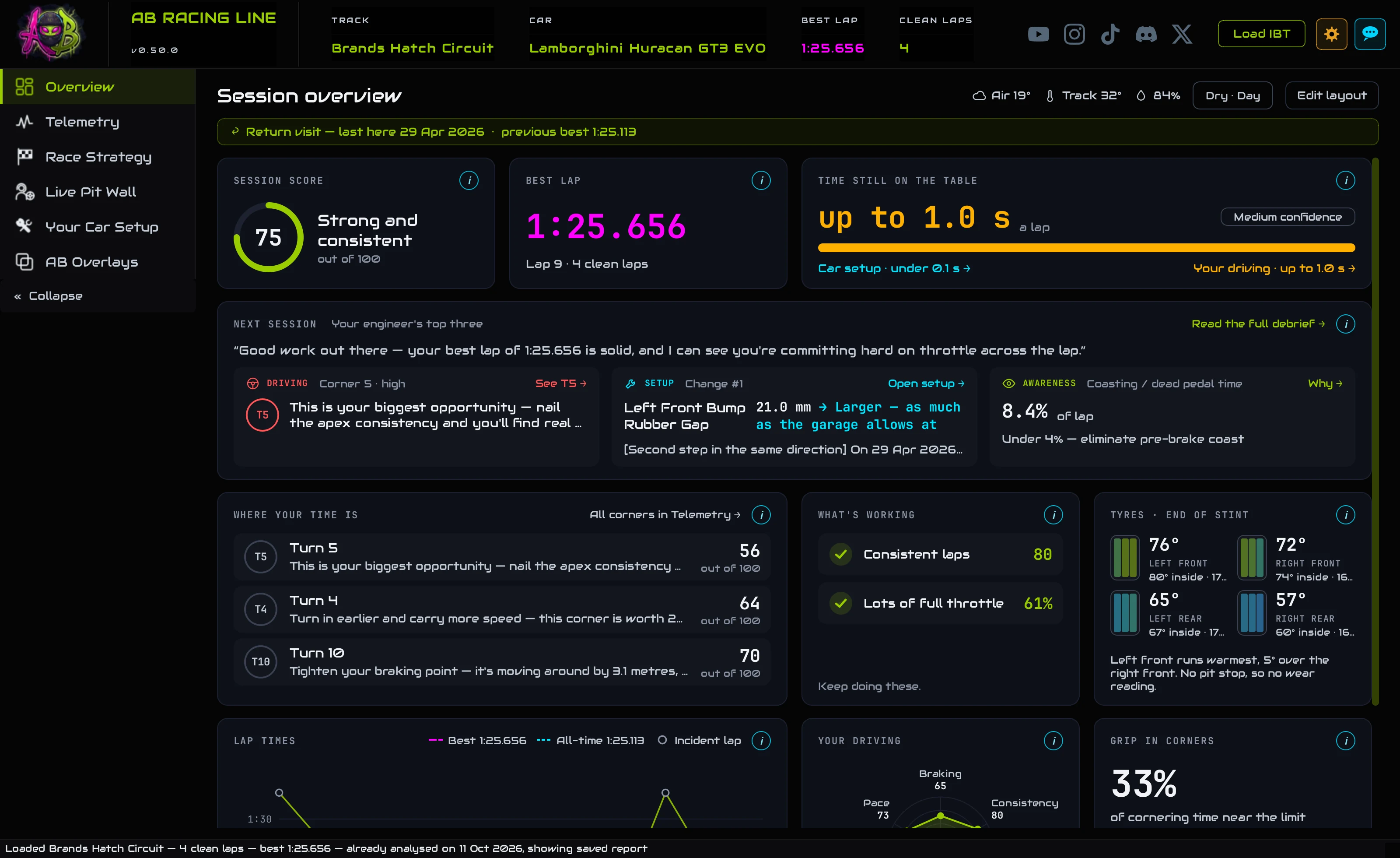
- Load a session: the Overview is the first thing you see.
- Across the top: your score, your best lap, and how much time is still on the table.
- Next session is your engineer's top three: one thing about your driving, one change to the car, one number to keep an eye on.
- Every card has an i that explains it, and its links open the tab with the detail.
OverviewThe page at a glance
Ten cards, read from the session you loaded. The numbers match the list beside the picture.
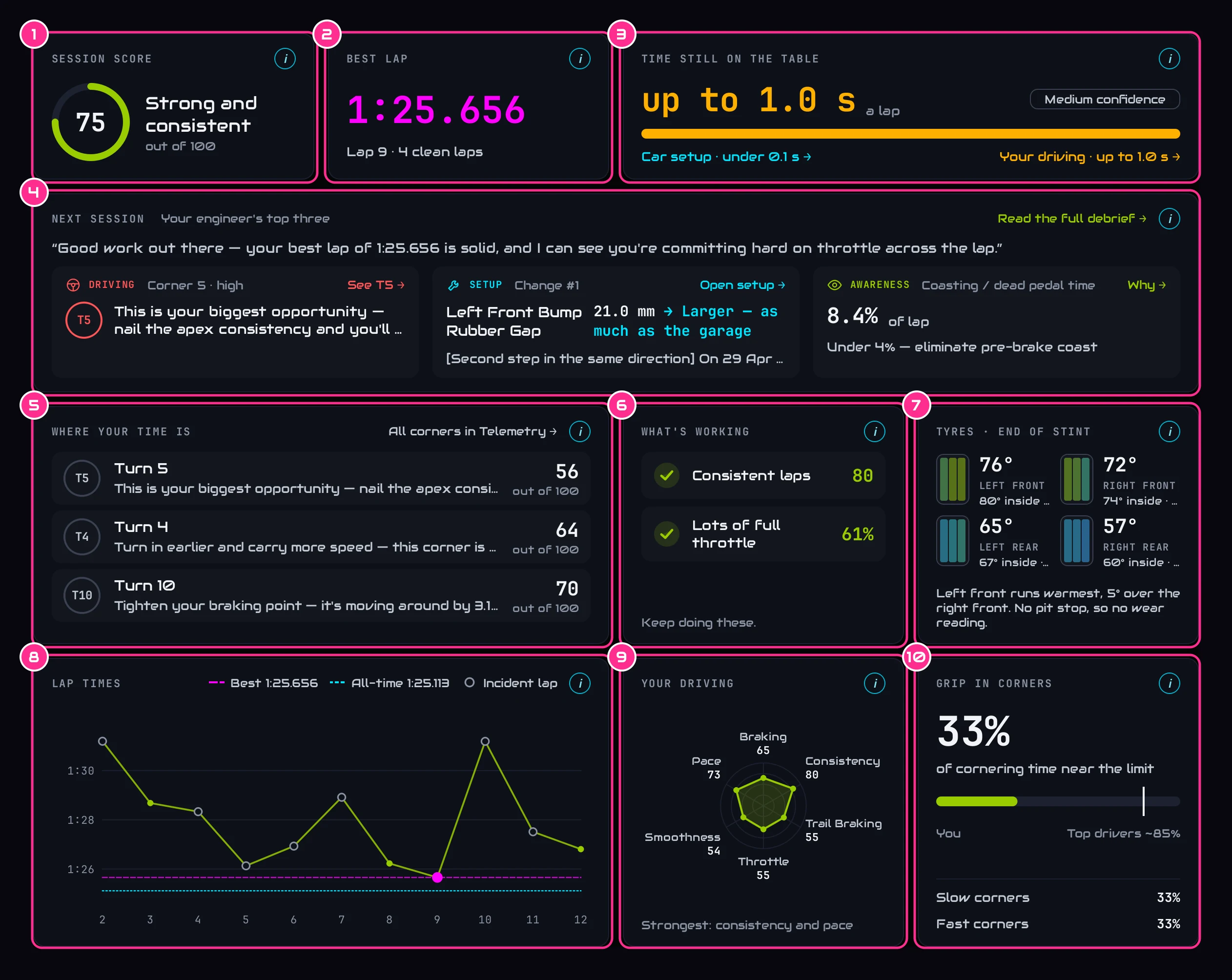
- 1Session scoreOut of 100: how well you drive each corner, how consistent your laps are, how hard you work the car.
- 2Best lapYour fastest clean lap, which lap it was, and how many clean laps the session had.
- 3Time still on the tableThe lap time still in there, measured against your own laps.
- 4Next sessionYour engineer's top three for next time.
- 5Where your time isThe corners with the most time in them.
- 6What's workingWhat you're already doing well.
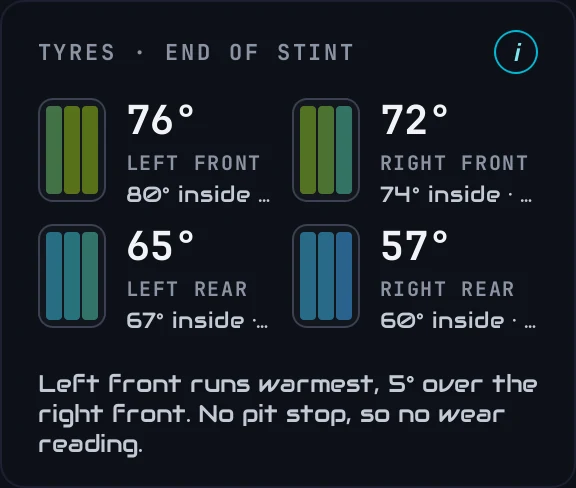
- 7TyresHow hot each tyre ran, and its tread after a pit stop.
- 8Lap timesEvery lap of the session.
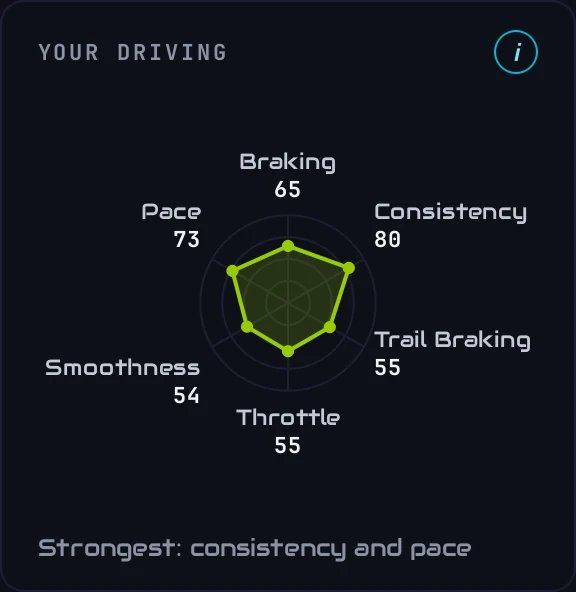
- 9Your drivingYour style, across six traits.
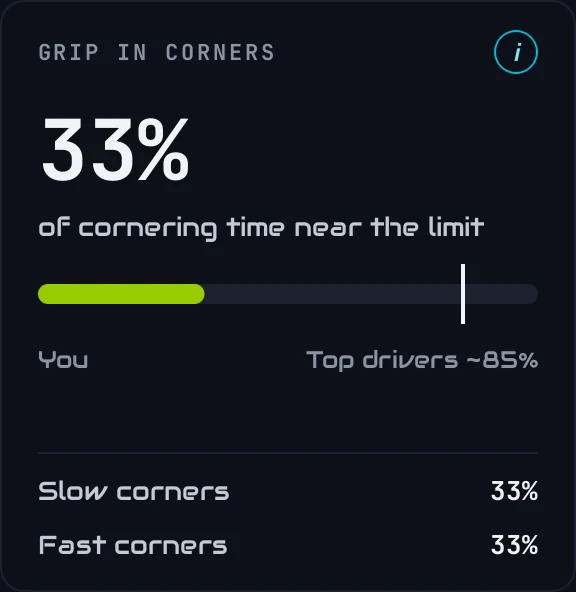
- 10Grip in cornersHow much of your cornering is near the limit.
Along the topConditions, layout and your last visit

- 1ConditionsAir and track temperature and humidity when you drove, and whether it was dry or wet, day or night.
- 2Edit layoutMove and resize the cards (see Arrange the cards).
- 3Return visitWhen you've driven this car and track before: when you were last here, and your best lap then.
A session with pit stops also gets a dropdown beside the title: the whole race, or one stint on its own. The cards then show just that stint.
How did it go?Score and best lap
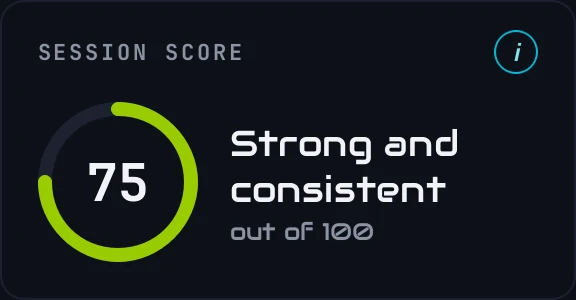
Session score is out of 100. It blends how well you drive each corner, how consistent your laps are, and how hard you work the car. 75 and above is strong; below 55 there are basics worth sorting first. The words under it sum the session up.
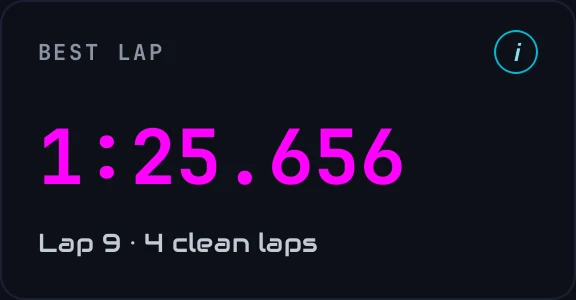
Best lap is your fastest clean lap, the lap it was, and how many clean laps the analysis is built on. Laps with a spin or an off, pit laps and out-laps are left out of everything.
How much is left?Time still on the table
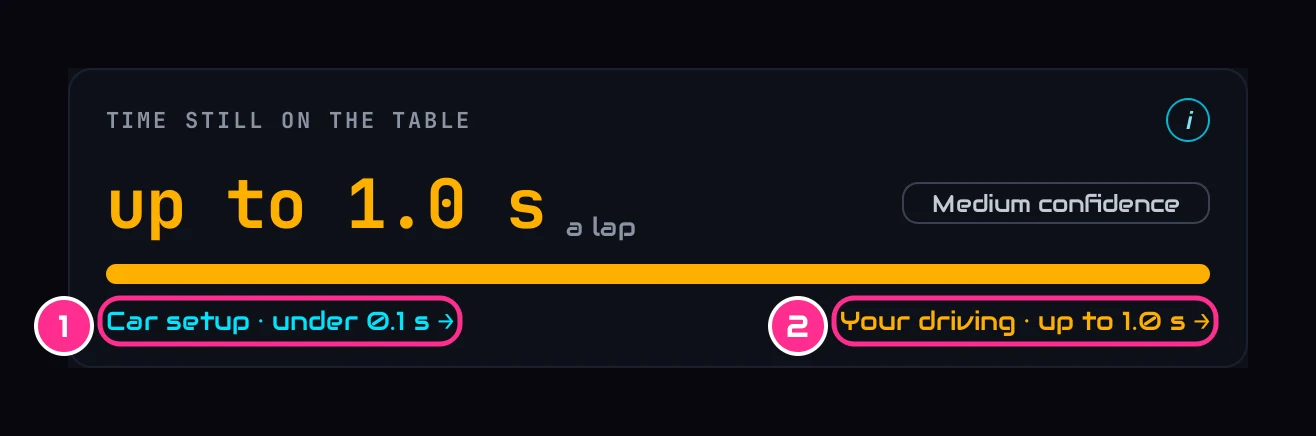
- 1Car setupTime from tyre pressures and the car's balance. Opens Your Car Setup.
- 2Your drivingTime from braking, apex speed, coasting and throttle. Opens Telemetry.
An estimate of the lap time still available, measured against your own laps: the best lap you could build from your own fastest sectors. It's never a target we invented. The two parts overlap a little, so the total is less than the two added together; the bar shows the split. The chip says how much clean data backs it. How it's worked out is in How we work out time gains.
What to do nextNext session
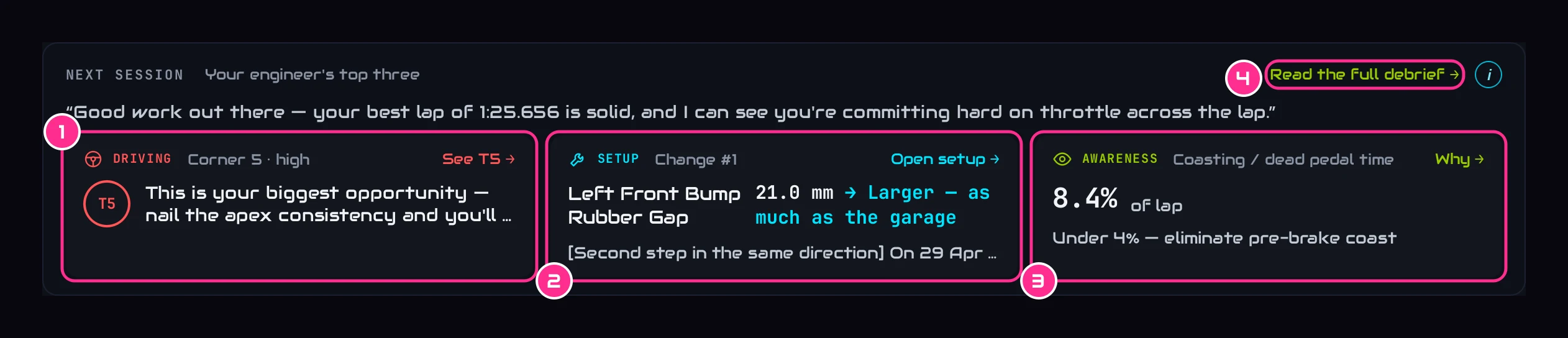
- 1DrivingThe corner to work on first, and how. See T5 opens it in Telemetry.
- 2SetupThe change numbered 1 on Your Car Setup: the one to make first.
- 3AwarenessOne number to keep an eye on, and Why.
- 4Read the full debriefYour engineer's whole write-up of the session.
The setup change and the number come from your PC, so they're there as soon as the file loads, even with no internet. The driving point and the line in quotes are your engineer's, written once the session has been reviewed, usually 10 to 20 seconds after the file loads. More in Your engineer's coaching.
CornersWhere your time is
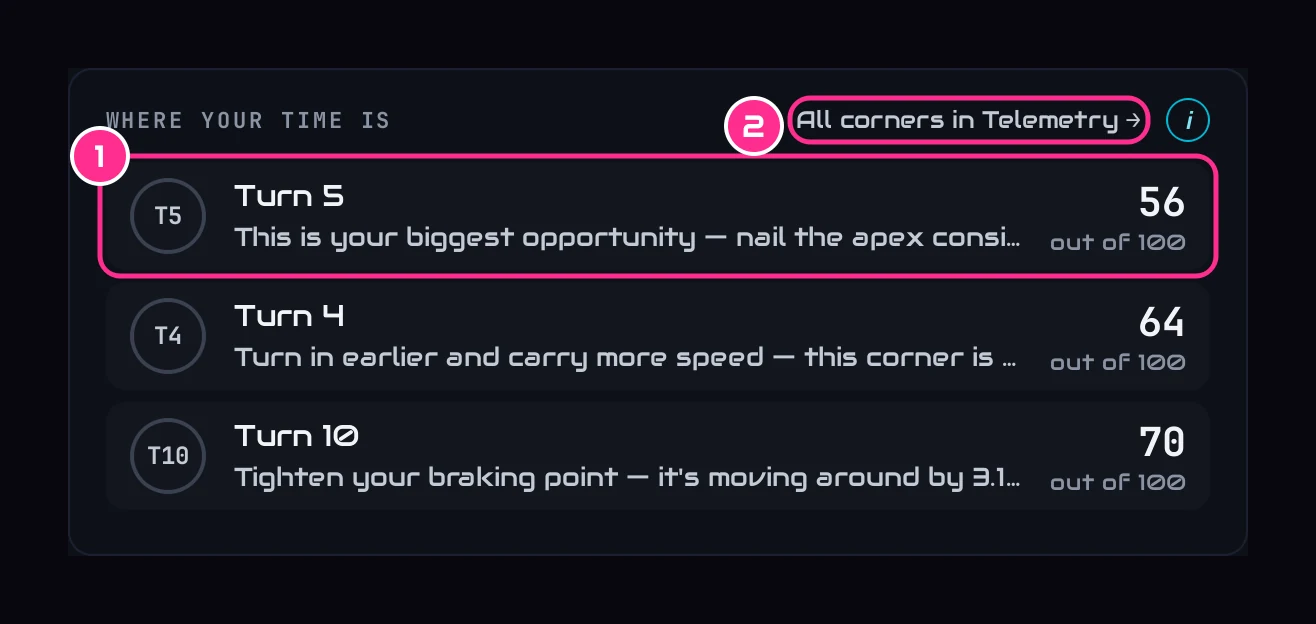
- 1A cornerIts score out of 100 and your engineer's one-line tip. Click it to open that corner in Telemetry, with its advice beside the map.
- 2All corners in TelemetryEvery corner, on the map.
The rows are your lowest corner scores, from how precise your apex speed is and how consistent your braking. When a corner's exit has time in it that your own better laps prove is there, it comes first, in amber, with what carrying that speed out of it every lap is worth.
Good newsWhat's working, and your tyres
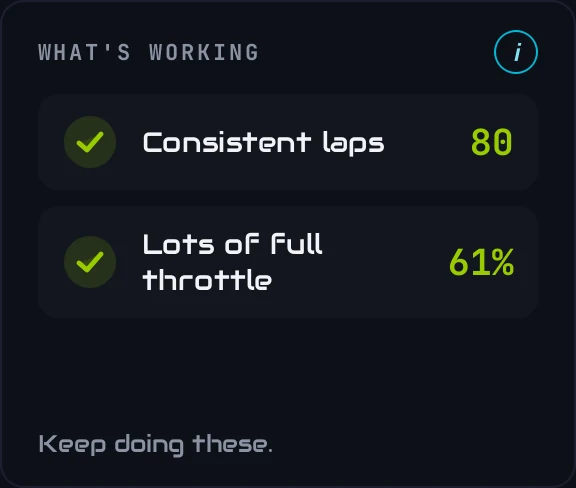
What's working lists what you're already doing well, read straight from your telemetry: consistent laps, very little coasting, lots of full throttle, working near the grip limit, smooth inputs. A line only appears when you clear a solid bar, so an empty card isn't a bad session: nothing stood out yet.
Tyres shows each tyre laid out like the car. The three bars are the outside, middle and inside of the tread, coloured by how hot that part ran in the corners: green is the working range, blue cold, red too hot. iRacing only reports tread wear at a pit stop, so after a session with no stop the bars are drawn faint and the big number is the tyre's temperature. After a stop, the bars show the tread left. It's the same card as on Race Strategy.
Every lapLap times
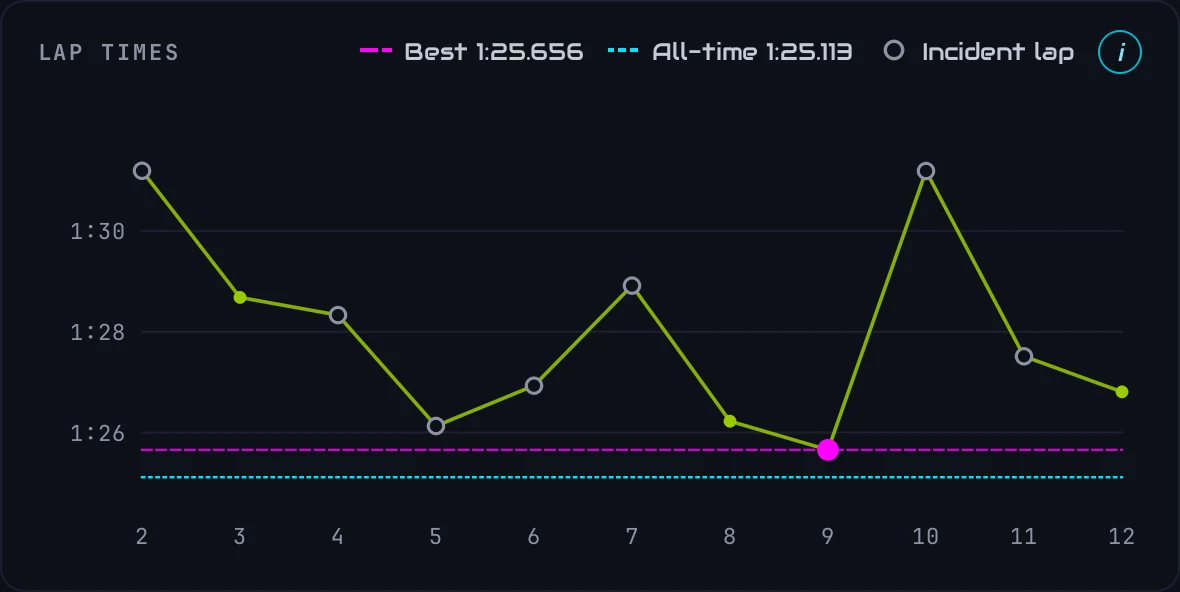
- Pink dashed line: your best lap this session.
- Hollow circle: a lap with an incident (a spin or an off). It's left out of the analysis.
- Arrow along the top: a lap far slower than the rest, kept off the chart so it can't squash the others.
- Cyan dotted line: your best ever lap at this car and track.
Hover a lap for its time and its gap to your best.
Your styleYour driving, and grip in corners
Your driving is a fingerprint of how you drive, across six traits: braking, consistency, trail braking, throttle, smoothness and pace. There's no single right shape: it describes your style, and a dent flags a trait worth refining. Hover a dot for what that trait means.
Grip in corners is the share of your cornering time spent near the grip limit: at 80% or more of the most grip you used all session. Straights don't count. Top drivers sit around 85%. Slow and fast corners are split at a 150 km/h apex speed; a lower fast-corner figure usually means lifting more than the car needs.
ExplanationsThe i on every card
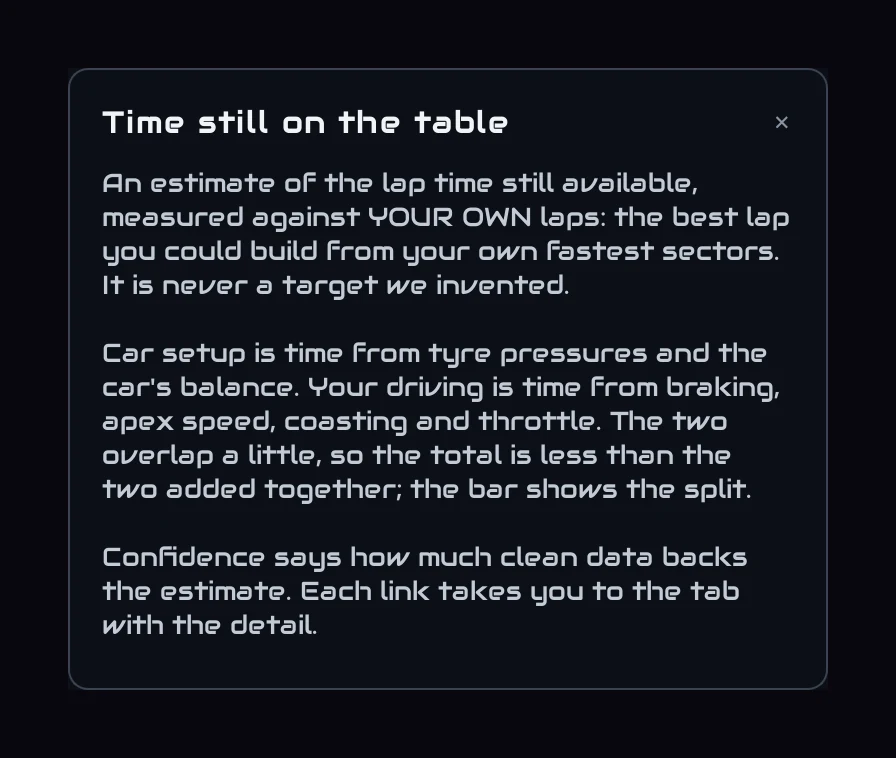
Every card has a cyan i at its top right. It opens a panel on the right of the page that explains the card in plain English. Close it with ×, or click anywhere else.
Make it yoursArrange the cards
Press Edit layout
At the top right of the page. Each card gets a strip along its top and a grip in its corner.
Move and resize
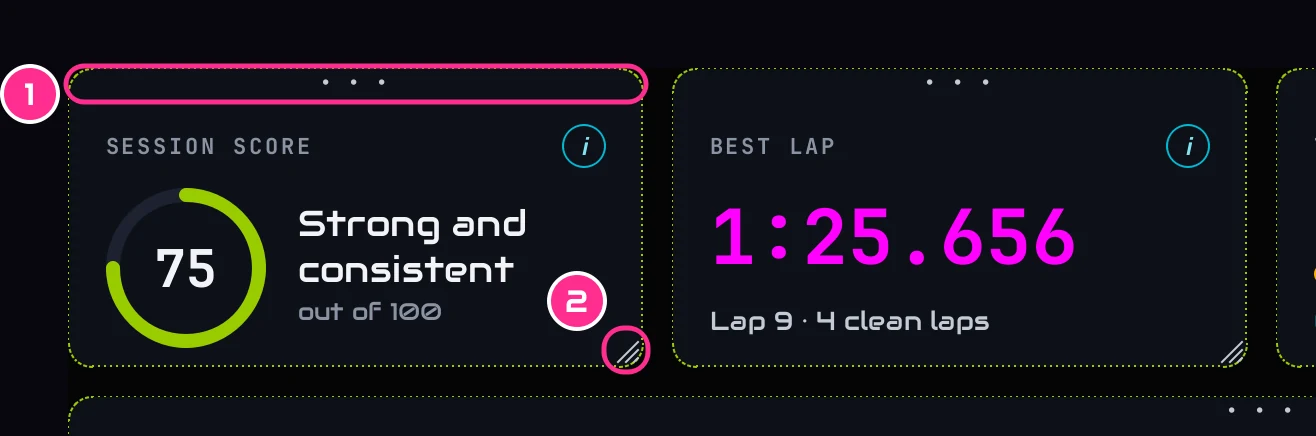
- 1The stripDrag it to move the card.
- 2The gripDrag it to resize the card.
Press Done
Your layout is saved and comes back every time you open the app. Reset layout brings the original back.