Your engineer's coaching
After every session your engineer reviews your laps and tells you what to work on: one thing to do first next time, the corners worth the most, and why. It's written from your own laps, in plain English, and it never asks you to change the way you drive, only to do it better.
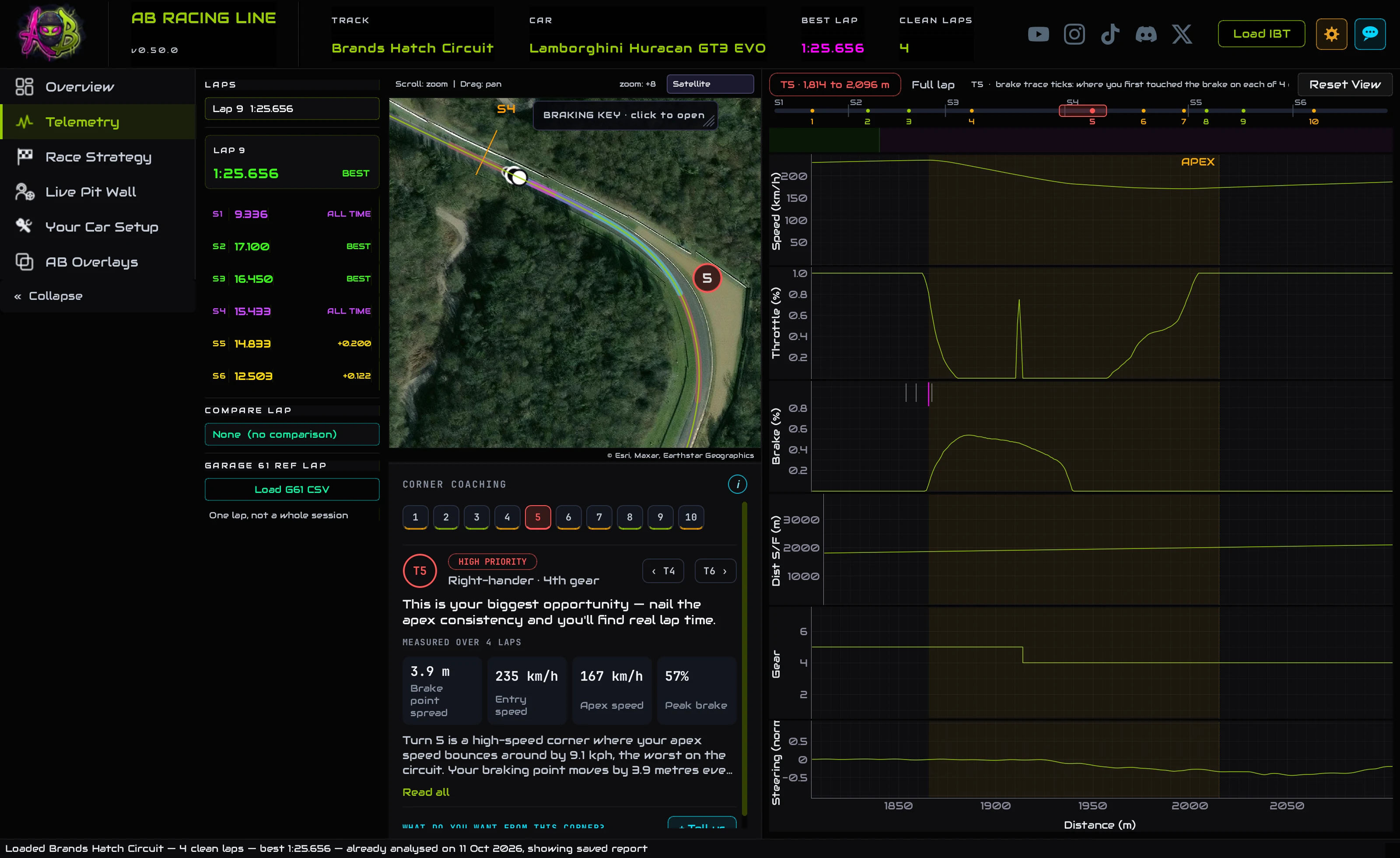
- Load a session. About 10 to 20 seconds later your engineer's advice arrives.
- On the Overview, Next session says what to do first next time.
- On the Telemetry tab, pick a corner to read its advice beside the map and the traces.
- + Tell us on a corner says what you want from it, and the setup follows.
First thingNext session: your top three
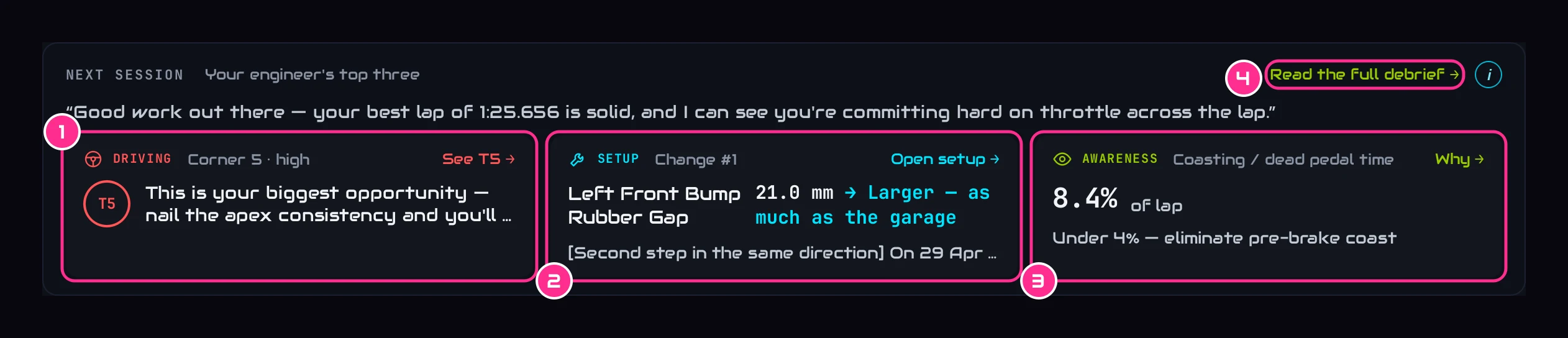
- 1DrivingThe corner to work on first, its priority, and the advice. See T5 opens that corner in Telemetry.
- 2SetupThe change numbered 1 on Your Car Setup. Open setup takes you there.
- 3AwarenessOne number to keep an eye on next time, with Why.
- 4Read the full debriefYour engineer's whole write-up.
The card sits on the Overview. The setup change and the number to watch come from your PC, so they're there the moment the file loads, even offline. The driving point and the line in quotes are your engineer's: they arrive once the session has been reviewed, usually 10 to 20 seconds after the file loads.
The whole write-upThe full debrief
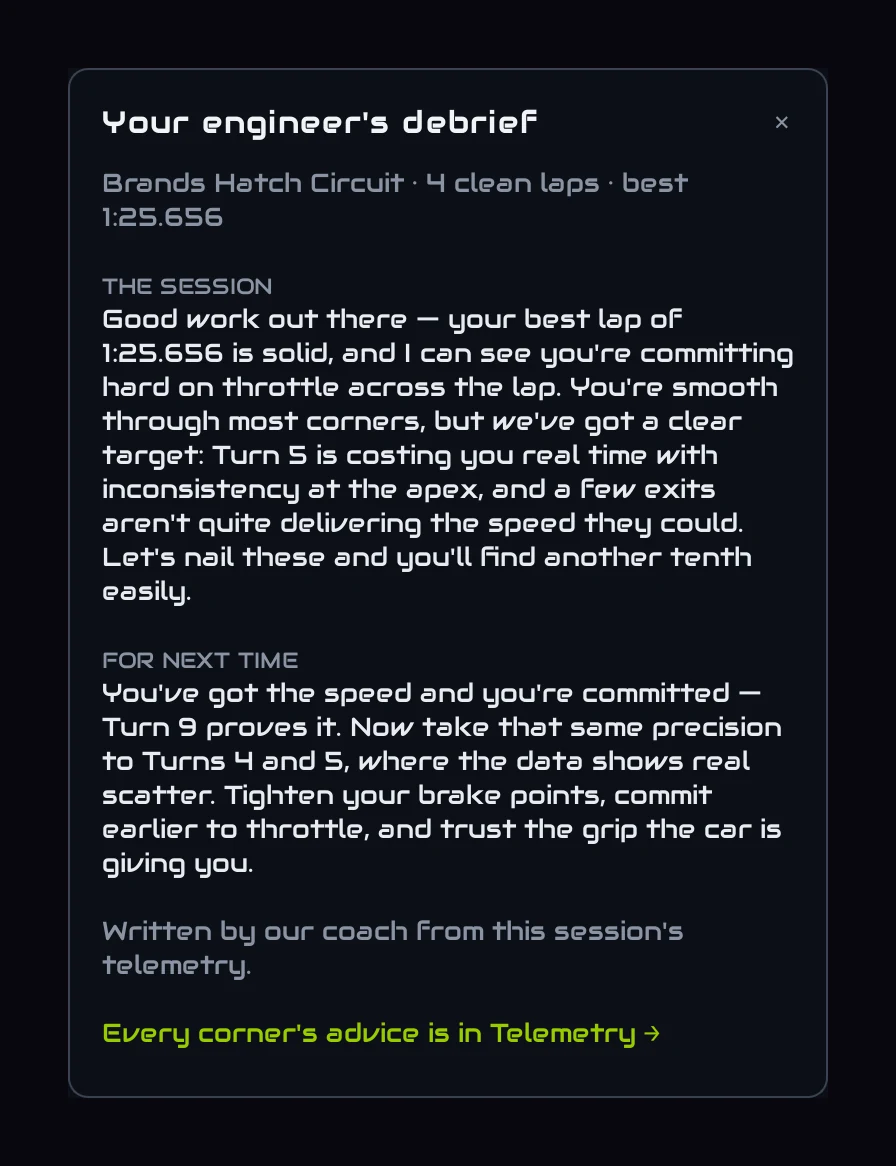
Read the full debrief opens it on the right of the page: how the session went, and what to take into the next one. The advice for each corner is on the Telemetry tab.
Corner by cornerThe advice for every corner
On the Telemetry tab, Corner coaching sits under the map. Pick a corner (its number on the map, a chip here, or the arrows) and the map and the traces zoom to it.
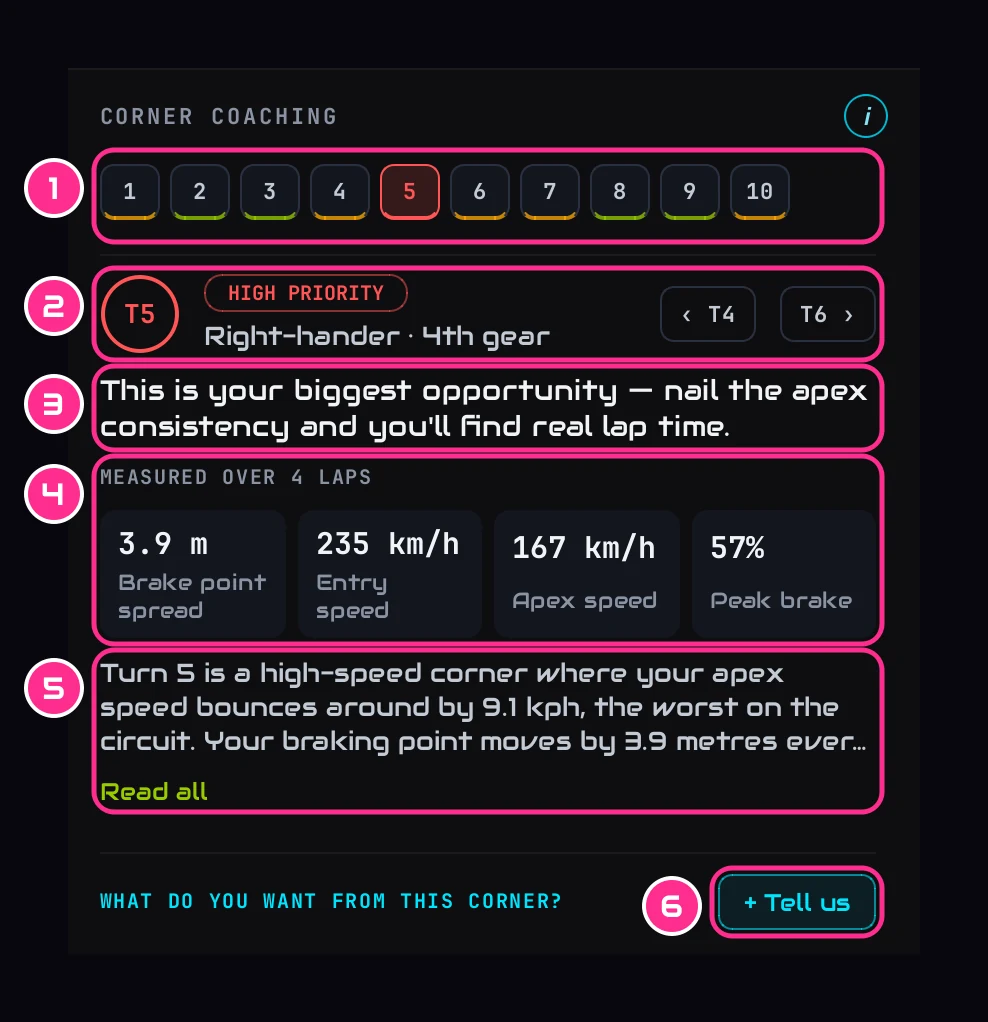
- 1The cornersOne chip each, coloured by priority: red and amber are worth working on, green is polish. A chip with no colour has no advice of its own.
- 2The cornerIts priority, the kind of corner and your gear. The arrows step to the corner before or after.
- 3The adviceYour engineer's one line for this corner.
- 4MeasuredFrom your own clean laps, so it's there straight away, even offline: how far your first touch of the brake moves from lap to lap, your speed arriving and at the apex, and how hard you press the brake.
- 5WhyWhat your engineer saw in your laps. Read all opens the rest.
- 6+ Tell usWhat you want from this corner (see below).
A corner where you're already doing it right says so, rather than inventing something to fix. The same corners are coloured on the map and on the strip above the traces, so you can find the red ones at a glance.
Your call+ Tell us: what you want from a corner
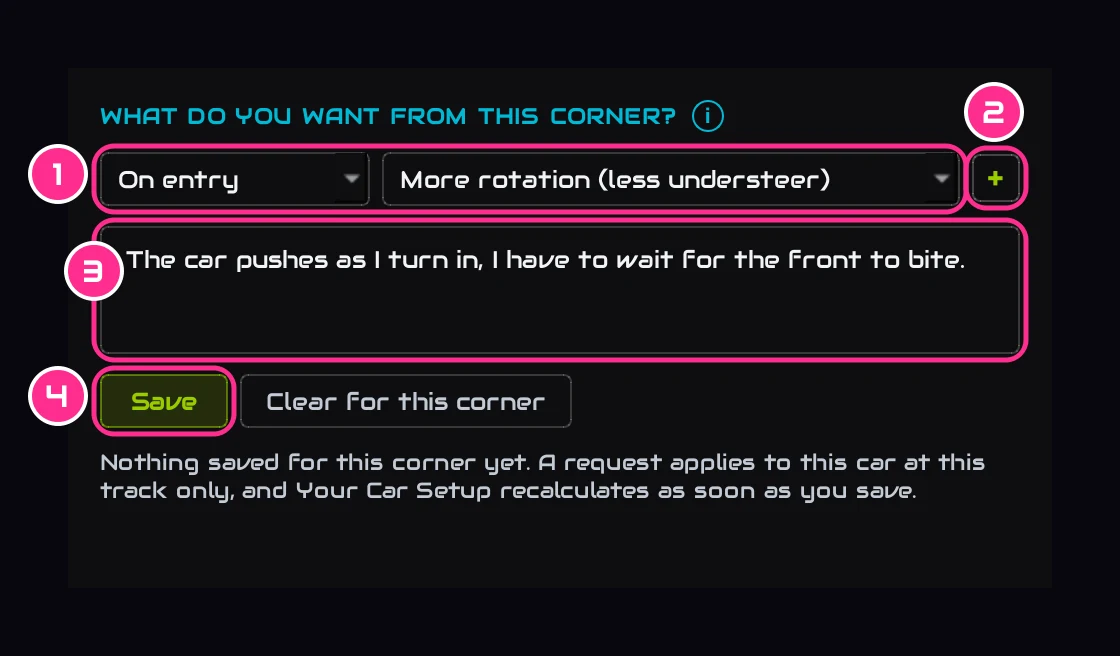
- 1What you wantWhich part of the corner (on entry, mid-corner or on exit) and what you want more of: rotation (less understeer), stability (less oversteer), or traction on the way out (offered where your wheelspin can be measured).
- 2+Add another: up to three for one corner.
- 3Your own wordsOptional. We show you what we understood before anything changes.
- 4SaveYour Car Setup works the setup out again straight away.
A request is for this car at this track only. It acts on a session with 5 or more clean laps; on a shorter one it's saved and acts the next time. Clear for this corner takes it back. Every request is listed on Your Car Setup, with what it did. The tutorial Tell the app how the car felt walks through it.
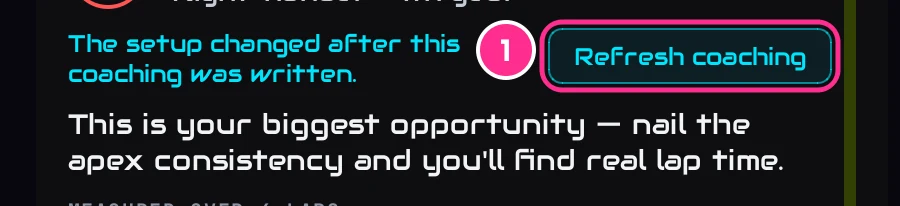
After a setup changeRefresh coaching
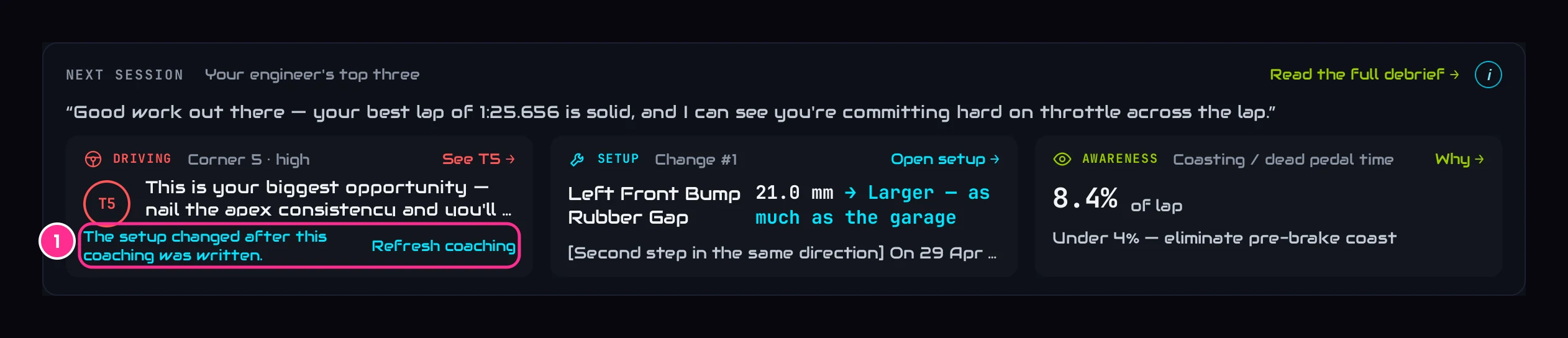
- 1Refresh coachingAsks your engineer again, with the setup as it is now.
Your engineer is told the setup changes planned for your next run. If the plan changes after the coaching was written, because you saved a request or picked a goal, the coaching says so, on the Overview and in Corner coaching on the Telemetry tab. Refreshing is your call, never automatic: it uses one of the month's coaching reports.