Tell the app how the car felt
The data sees a lot, but you're the one in the car. Tell the app what the car does, in your own words or with a few clicks at one corner, and the setup follows.
- Type how the car felt on Your Car Setup, and press Send.
- Check what we understood, and press Apply.
- See what changed. Or pick what you want at one corner on the Telemetry tab.
Part 1In your own words
Type what the car does
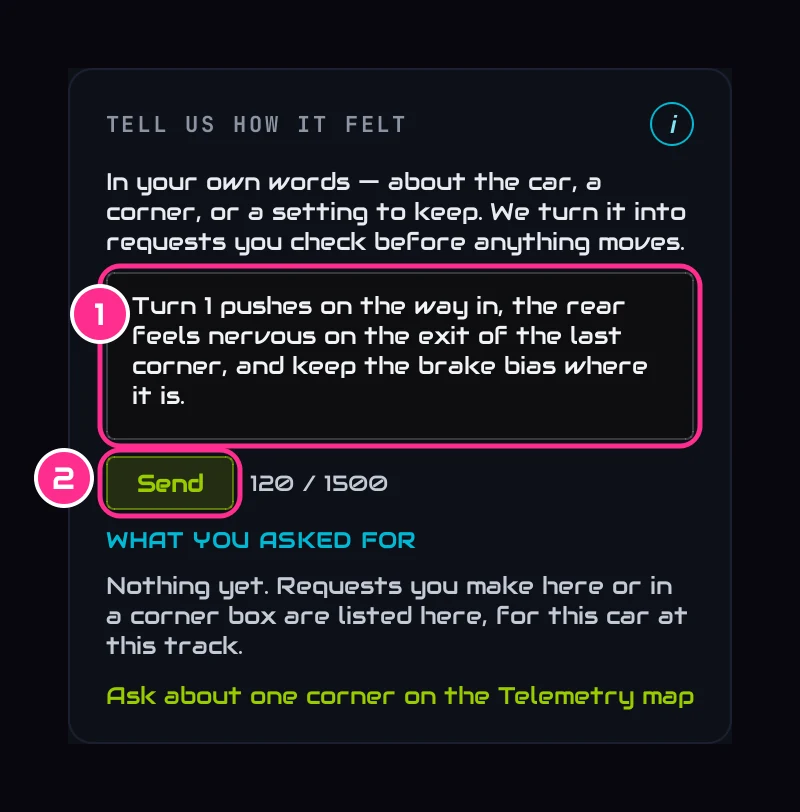
Scroll to Tell us how it felt at the bottom of Your Car Setup and type it the way you'd tell an engineer (1). For example:
- Turn 1 pushes on the way in.
- The rear feels nervous on the exit of the last corner.
- Keep the brake bias where it is.
- I want more turn in all corners.
Then press Send (2). Nothing is saved yet.
Check what we understood
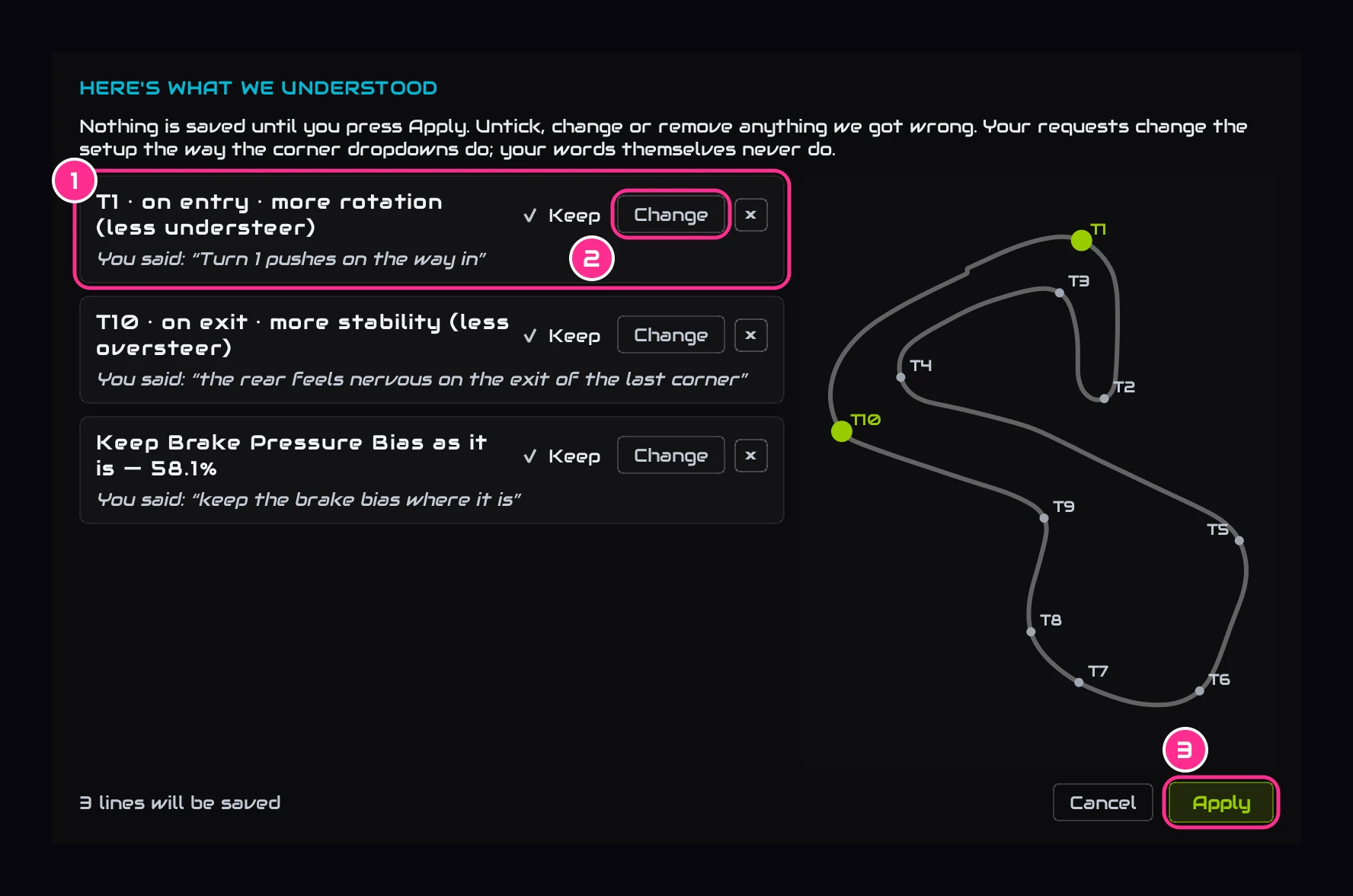
Each line is one request: which corner, which part of it, and what you want more of, with your own words under it (1). The corners light up on the map. Press Change (2) to fix a line we got wrong, or untick it to drop it. Then press Apply (3).
See what it did
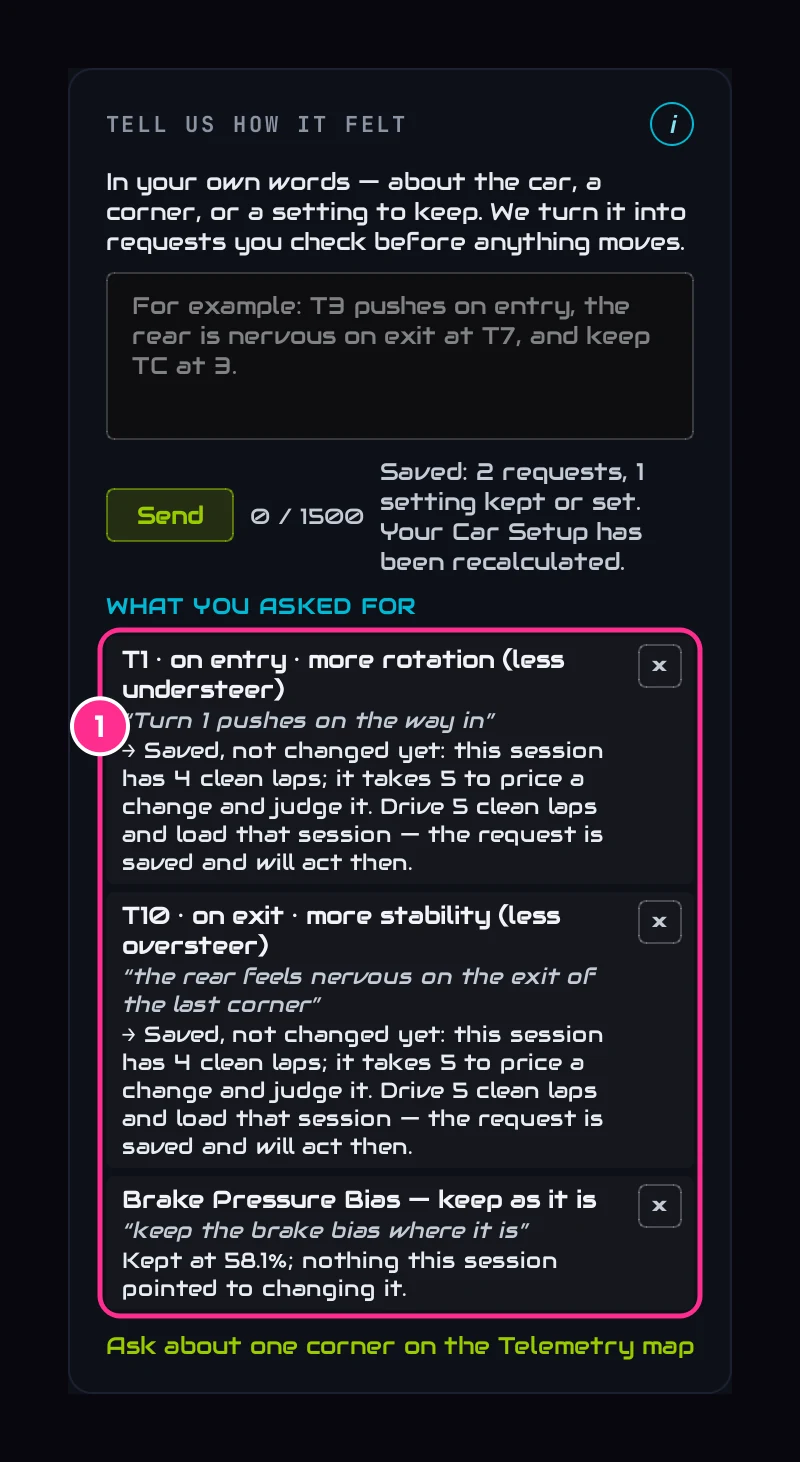
The setup is worked out again straight away. What you asked for (1) lists every request at this car and track, with what it changed, or why nothing changed yet. A change made for a request is marked FOR YOUR T1 ASK in the plan. Press × to remove a request.
Part 2Or pick it at one corner
Pick the corner on the Telemetry tab
Click its number on the map. Its coaching opens under the map, and at the bottom of it is + Tell us.
Say what you want from it
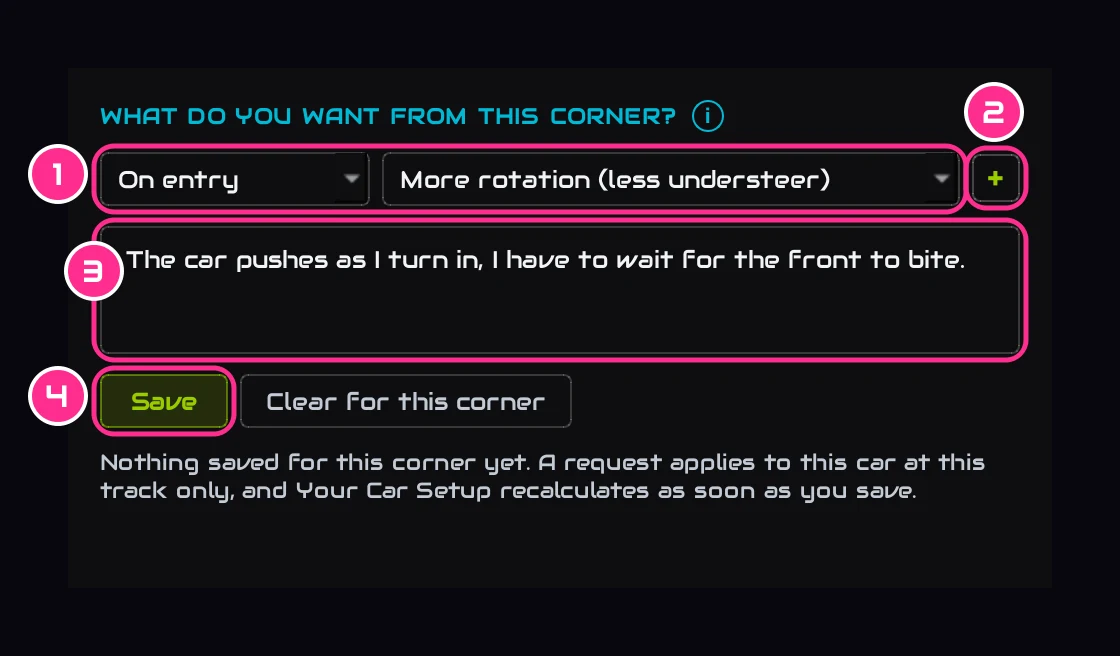
Pick the part of the corner and what you want more of (1): rotation, stability, or traction on the way out. Add up to three with + (2), add your own words if you like (3), and press Save (4). Picking works offline.
Part 3Keep a setting where it is
Say it in your words (keep the brake bias where it is), or open a change's i on Your Car Setup and press Keep it at …. The plan works around it and marks it HELD · YOUR CALL; its i still says what the data would have done. Remove it under What you asked for.
Part 4A goal for the whole car
When a session's data asks for no change at all, the plan asks What would you like more of?: More turn mid-corner, More drive out of the corners or More stability on entry. Pick one and the app makes one change for the whole lap, marked FOR YOUR GOAL.
Part 5Next time
Drive, load the session, and Since your last run says whether each change made for you did its job. Where it can't be measured, the row asks you: Better, Same or Worse. See See what it did.