Race day on the Live Pit Wall
The Live Pit Wall sits beside you for the whole race: it tells you when to pit, how much fuel to add, and where you'll come back out. Here's race day, step by step. Want to see it first? Press Watch a demo race on the Live Pit Wall.
On this page
- Go live before you get in the car.
- Glance at the call while you drive.
- At the stop, add the fuel it tells you, after checking where you'll rejoin.
Before the raceGet ready
Load your practice once
If you've practised for this race, load that practice in the app once (see Plan a race). The Live Pit Wall finds it by itself and uses it for the fuel figures before the live burn has settled, the tyre pressures and the cost of a pit stop. No practice? Everything else still works live.
Go live
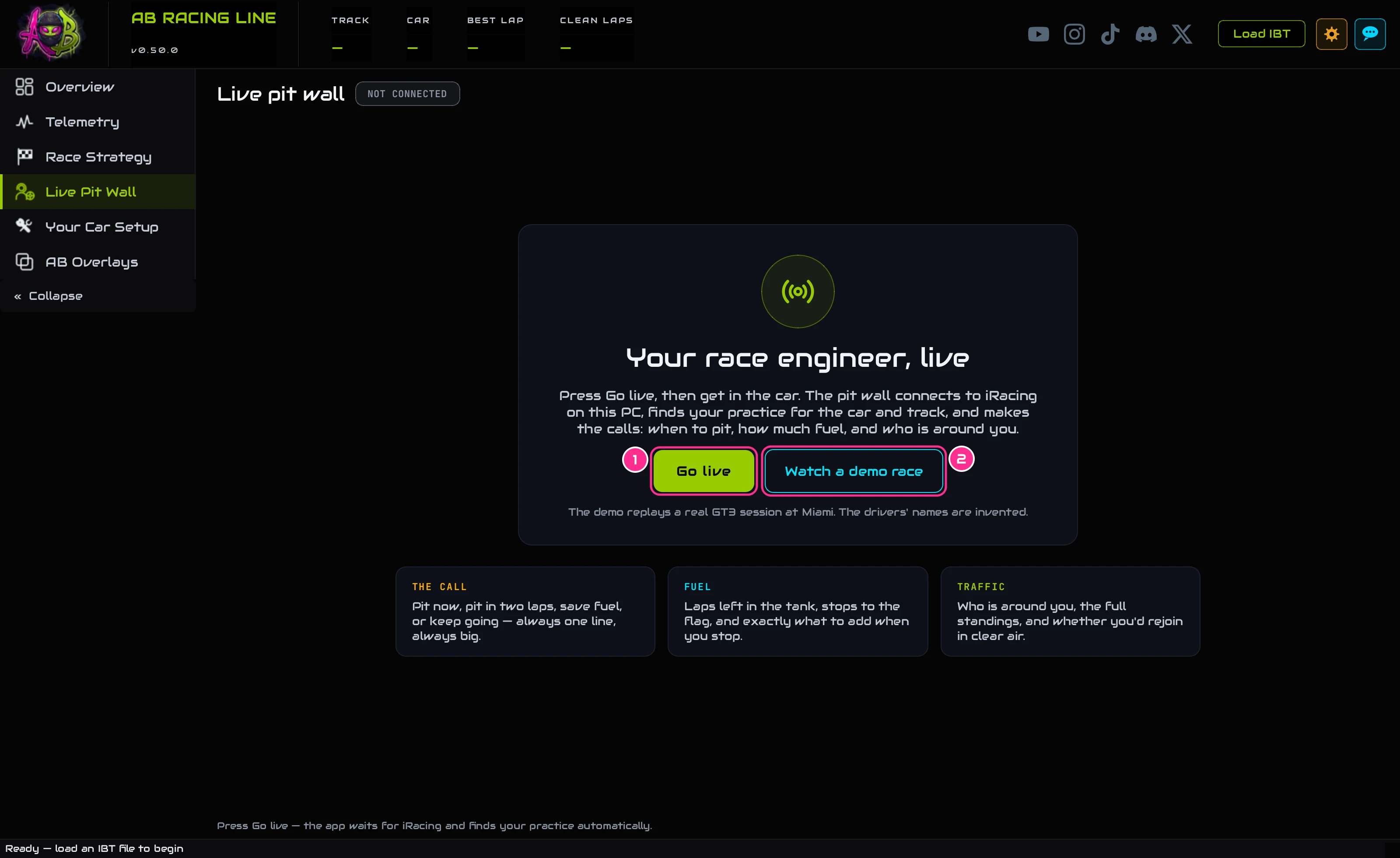
Start iRacing and AB Racing Line (in either order). Open Live Pit Wall and press Go live (1), then get in the car. The app connects the moment your session exists. A chip at the top says which practice it found; click it to pick a different one.
During the raceRace
Glance at the call

The big line at the top is the one thing to do about fuel right now: FUEL TO FLAG, FUEL OK, SAVE, PIT IN N LAPS or PIT NOW. Until it has measured three whole laps of fuel (or has your practice), it says MEASURING rather than guess.
Before you pit, check where you'll rejoin
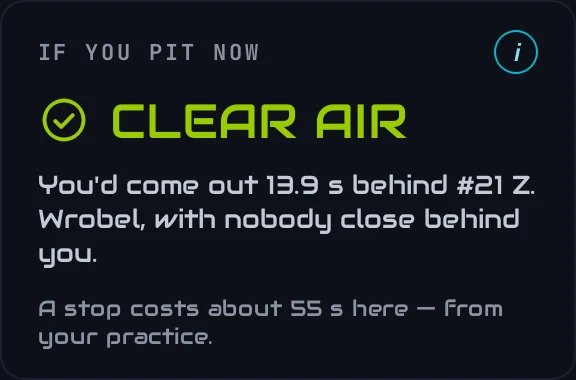
If you pit now takes the time a stop costs off your place on the track and checks the cars around that spot. CLEAR AIR means nobody within two seconds; otherwise it names who you'd come out next to.
Dial in the fuel
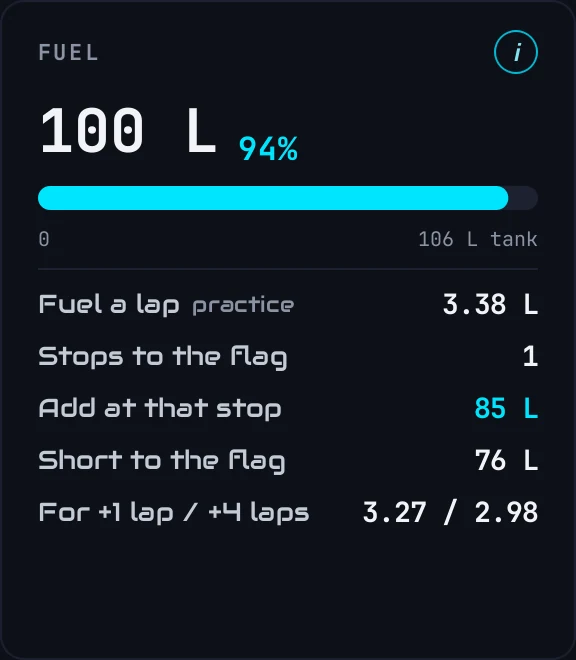
On the Fuel card, Add at that stop is the number to dial into iRacing's pit menu. It isn't the same as everything still needed to reach the flag when there's more than one stop to go. The Fuel overlay shows the same number on top of iRacing, and checks it against what you've actually dialled in.
Back out, carry on
After your stop the call carries on: the fuel rate measured before the stop still counts. If you leave the session entirely and rejoin, it measures again for a few laps.