Plan a race
One good practice session is enough to plan a race: how many stops, how many laps each stint, how much fuel to add, and whether fuel or a tyre ends a stint. Here's how to drive the practice and read the plan.
On this page
- Drive a practice that looks like the race.
- Load it and pick the race length on Race plan.
- Check what ends a stint, and plan on your real race pace.
Step by stepFrom practice to race plan
Drive a practice that looks like the race
The plan is built from what you actually did, so make the practice look like the race: the same car and track, race fuel, race conditions, and at least 30 minutes. Finish a full stint with a pit stop: iRacing only reports tyre wear when you pit, and without it the plan can only tell you about fuel.
Load it and open Race Strategy
In AB Racing Line press Load IBT and pick the practice, then click Race Strategy in the menu on the left.
Pick the race length
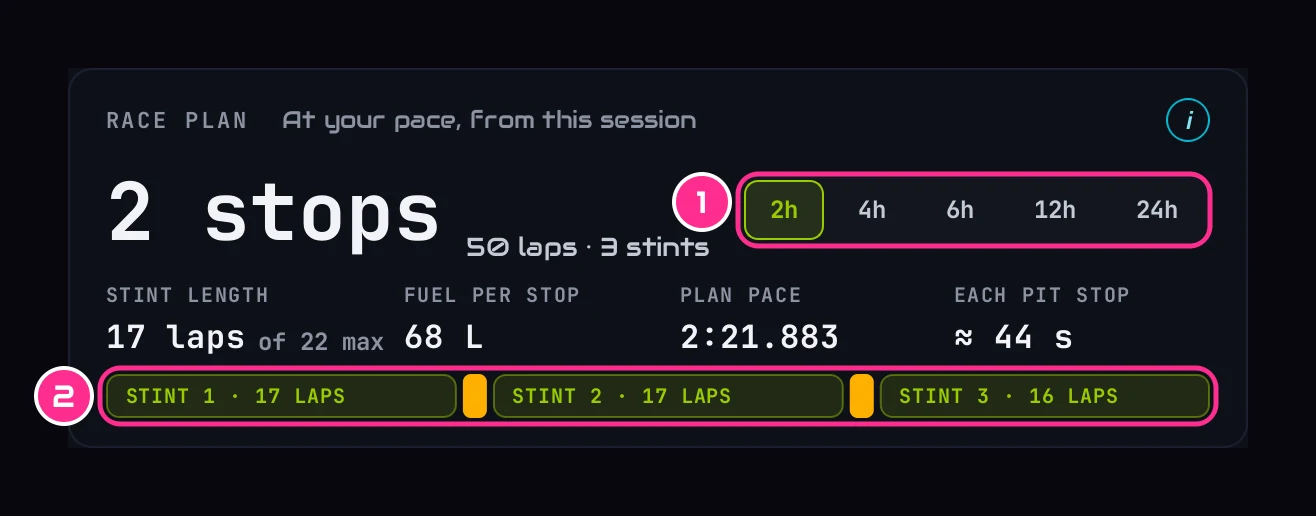
On Race plan, pick 2, 4, 6, 12 or 24 hours (1). You get the number of stops, the laps to aim for in each stint (2), the most a stint can run, and the fuel to add at each stop. Write these down for race day.
Check what ends a stint
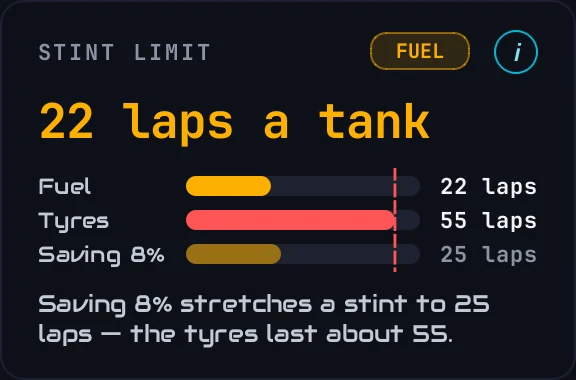
Stint limit says whether the FUEL or a TYRE runs out first. If it's a tyre, saving fuel won't make the stint any longer; look at Tyres · end of stint to see which tyre, and which part of its tread, is going first.
Plan on your real race pace
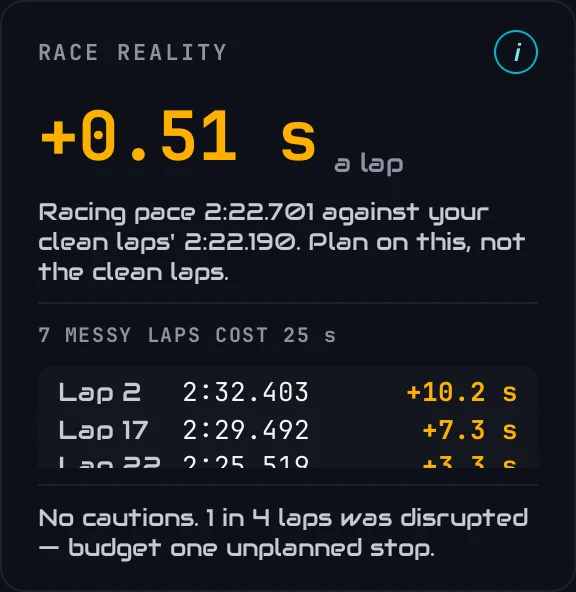
The plan assumes your quicker clean laps. Race reality shows your pace with traffic and mistakes counted in, and what to budget for: a little extra fuel, or an unplanned stop if enough of your laps were disrupted. In a race, that's the pace you'll actually run.
On race day, the Live Pit Wall uses it
You've loaded the practice once, so the Live Pit Wall finds it by itself when you go live, and uses it for the fuel figures, the tyre pressures and the cost of a pit stop. See Race day on the Live Pit Wall.