Live Pit Wall
The Live Pit Wall is your race engineer while you drive. Press one button, go racing, and it fills itself: the fuel call, your tyres, the cars around you, a live track map, and a clear answer to the question that matters mid-race: when do I pit? Everything updates in real time from iRacing running on the same PC.
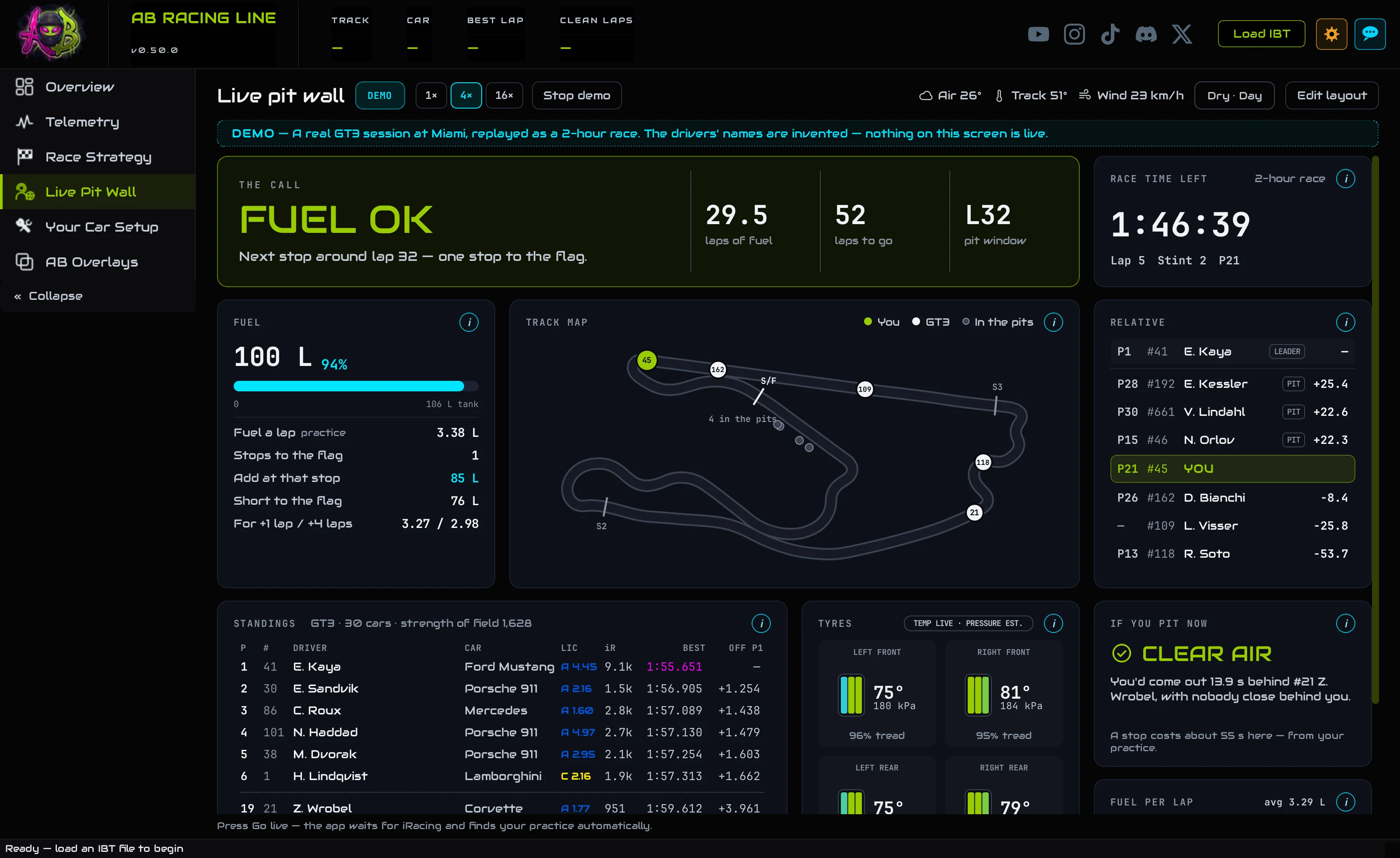
- Open Live Pit Wall, press Go live, then get in the car.
- Glance at The call: one line telling you what to do about fuel right now.
- When a stop is coming, Add at that stop is the fuel to dial into iRacing's pit menu.
- Before you pit, If you pit now shows where you'd come back out.
OverviewThe tab at a glance
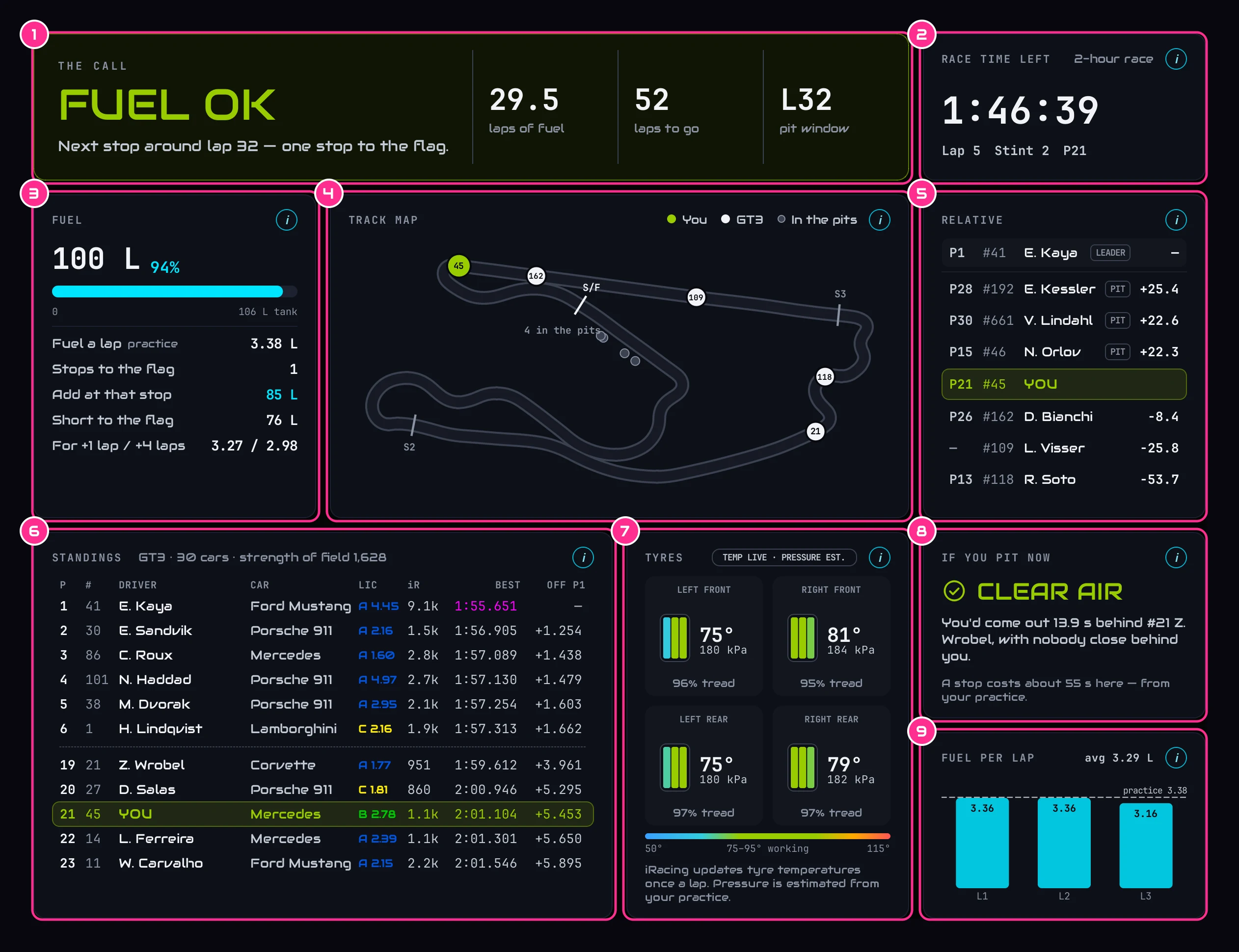
- 1The callThe one thing to do about fuel right now.
- 2Race time leftThe race clock, your lap, your stint and your position.
- 3FuelWhat's in the tank, and the plan to the flag.
- 4Track mapEvery car on the track, live.
- 5RelativeThe cars around you, with the gap to each.
- 6StandingsYour class in position order.
- 7TyresTemperature and tread live, pressure worked out.
- 8If you pit nowWhere you'd come back out.
- 9Fuel per lapThe fuel each lap actually used.
Every card has an i that explains it. Edit layout lets you move and resize the cards; press Done when you're finished, and Reset layout brings the original back. Along the top are the track and air temperature, the wind, and whether the track is dry or wet, day or night.
StartGo live, or watch a demo race
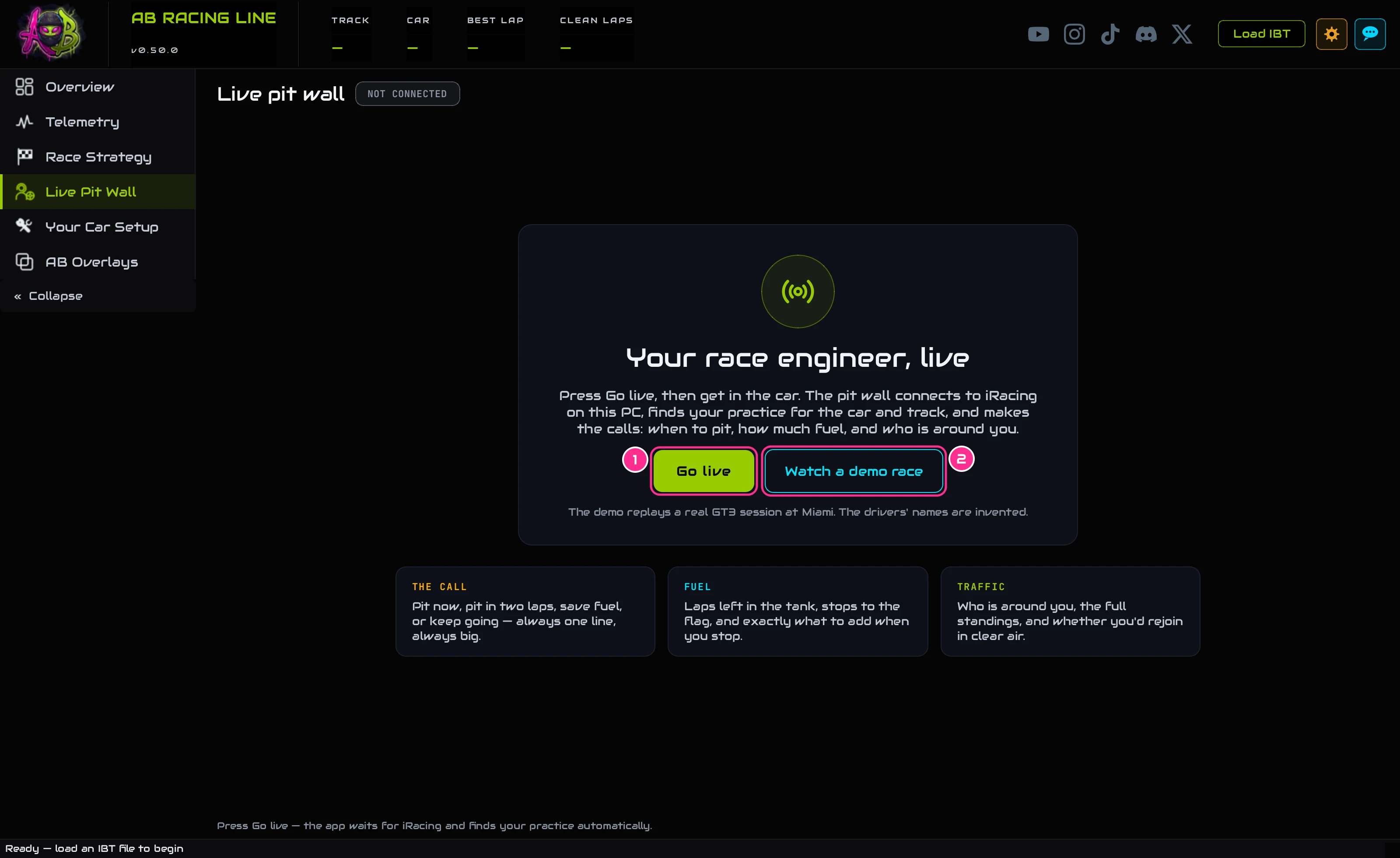
- 1Go liveThen get in the car.
- 2Watch a demo raceSee every card working first.
Open the Live Pit Wall, press Go live, then get in the car. The app waits for iRacing, connects the moment your session exists, and starts filling in. If the connection drops (you leave the car, or iRacing restarts), it says so and picks up again when you're back.
Watch a demo race plays a real GT3 session at Miami as a two-hour race, at 1×, 4× or 16× speed, so you can see every card working before race day. The drivers' names in the demo are invented, and a banner says nothing on screen is live. Stop demo takes you back.

- 1Speed1×, 4× or 16×.
- 2Stop demoBack to the start.
- 3The bannerA reminder that it's a replay with invented names.
Before the raceYour practice, and what it adds
When you go live, the app finds your practice by itself: it looks through your session history for the same car and track (a wet race is matched with a wet practice), then in iRacing's telemetry folder. A chip at the top says which practice it found; click it to load a different one, and the one you pick always wins.
- With your practice: an estimated tyre pressure, the track map from the first second, the cost of a pit stop measured from your own stops, and a fuel figure to work with before the live burn has settled.
- Without it: the fuel call (after three whole laps), tyre temperatures and tread, the relative, the standings and where you'd rejoin all still work; the track map draws itself after your first full lap, and a typical pit-stop time is used.
The one to glance atThe call

The big line across the top is the one thing to do about fuel right now, worked out from what's in the tank, how much you burn a lap, your lap time and the race time left:
- FUEL TO FLAGThe tank reaches the end, with the spare laps shown.
- FUEL OKA stop is coming: roughly which lap, and how many stops to the flag.
- SAVELift and coast this much a lap and you save a stop, or make the flag without one.
- PIT IN N LAPSThe tank is running out: pit by the lap shown.
- PIT NOWYou're into the safety reserve. In you come.
Until the app has measured three whole laps of fuel, or has your practice to go on, it shows MEASURING (or GATHERING DATA before your first lap) and makes no call rather than guess. In a practice session there's no race clock, so the call says how many laps are in the tank instead (PRACTICE).
FuelRace time left and fuel
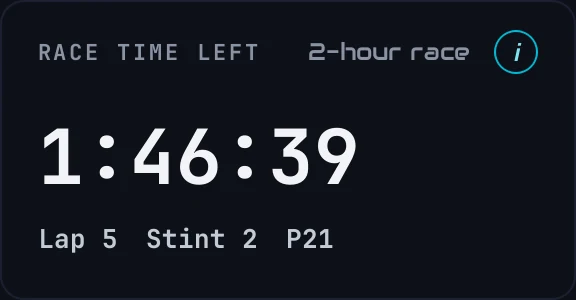
Race time left is the time on the race clock, from iRacing, with your lap, your stint and your position. In practice there's no race clock, so there's nothing to count down to.
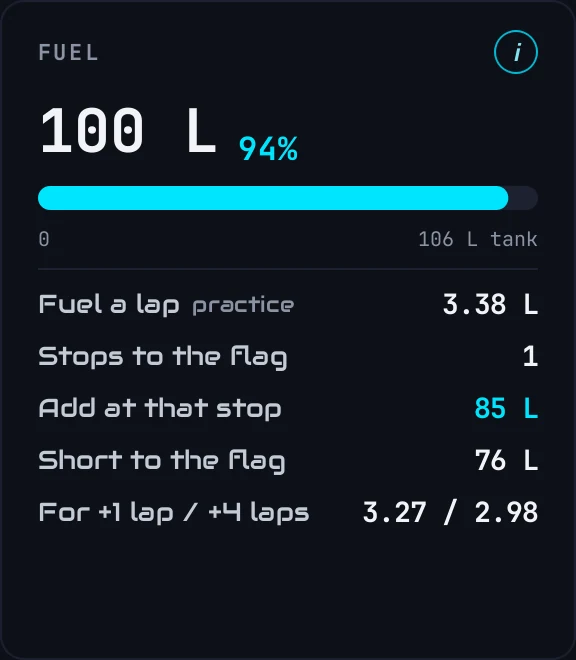
The Fuel card:
- The big number: fuel in the tank now, and how full it is.
- Fuel a lap: your burn, and where it comes from: your practice until the live rate has three whole laps behind it, then live.
- Stops to the flag: how many stops are left.
- Add at that stop: the number to dial into the pit menu at the next stop.
- Short to the flag: everything still missing across all the stops, not one stop.
- For +1 lap / +4 laps: the burn a lap that would stretch the tank one or four laps further. Your lift-and-coast targets.
Around youTrack map
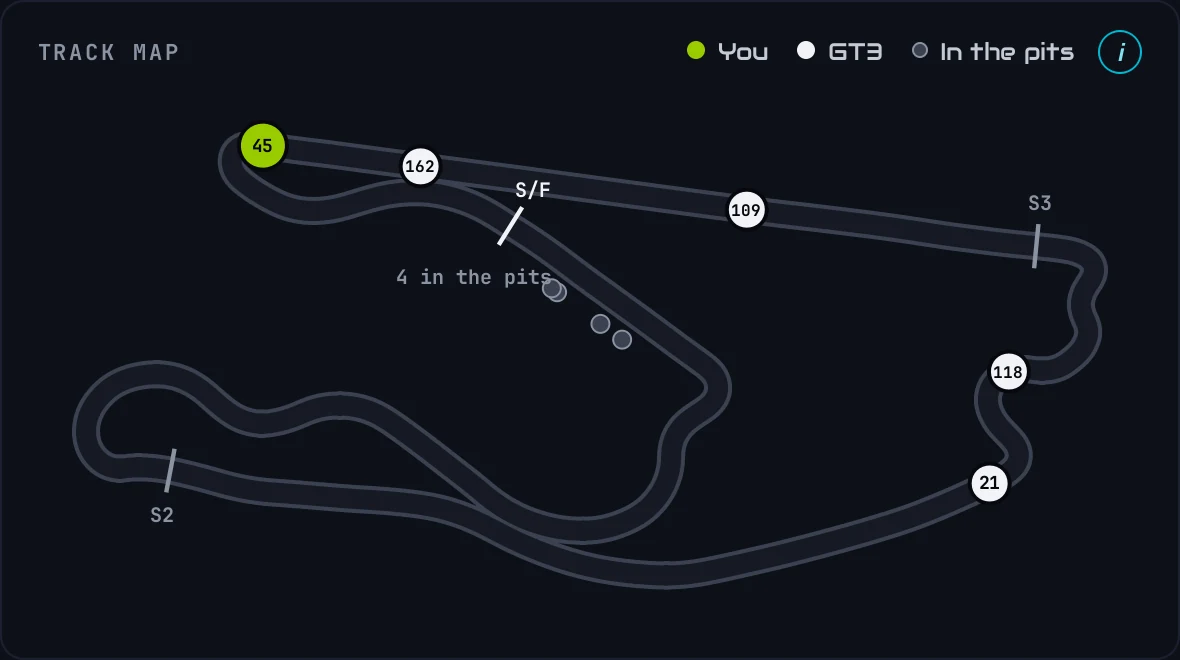
Every car on the track, live. Your car is green; the others carry their number, coloured by class. Cars in the pit lane are small grey dots, and the count says how many are in. The track shape comes from your practice when it's loaded; otherwise the app draws it from your own driving after one full lap, and remembers it for next time.
Around youRelative and standings
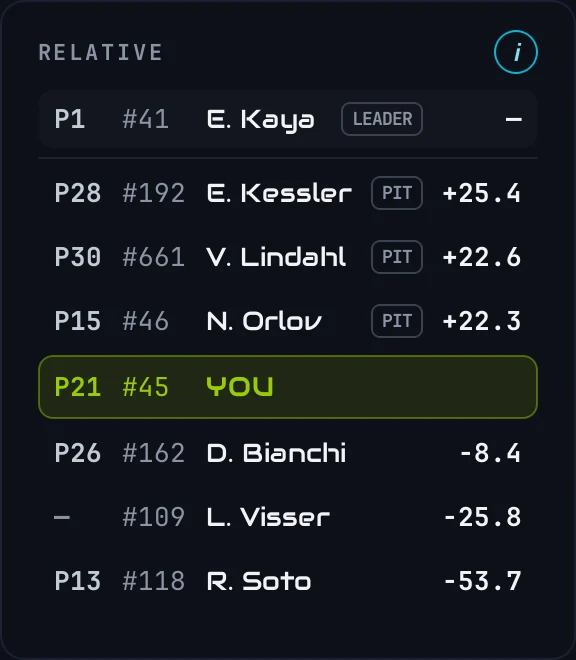
The Relative shows the cars around you on the track, with the time gap to each: plus is ahead of you, minus behind. The top row is the leader. The colour of a gap tells you whose lap it is: white on the same lap as you, blue a lap or more down, red a lap or more up (someone lapping you). A PIT tag marks a car in the pits.
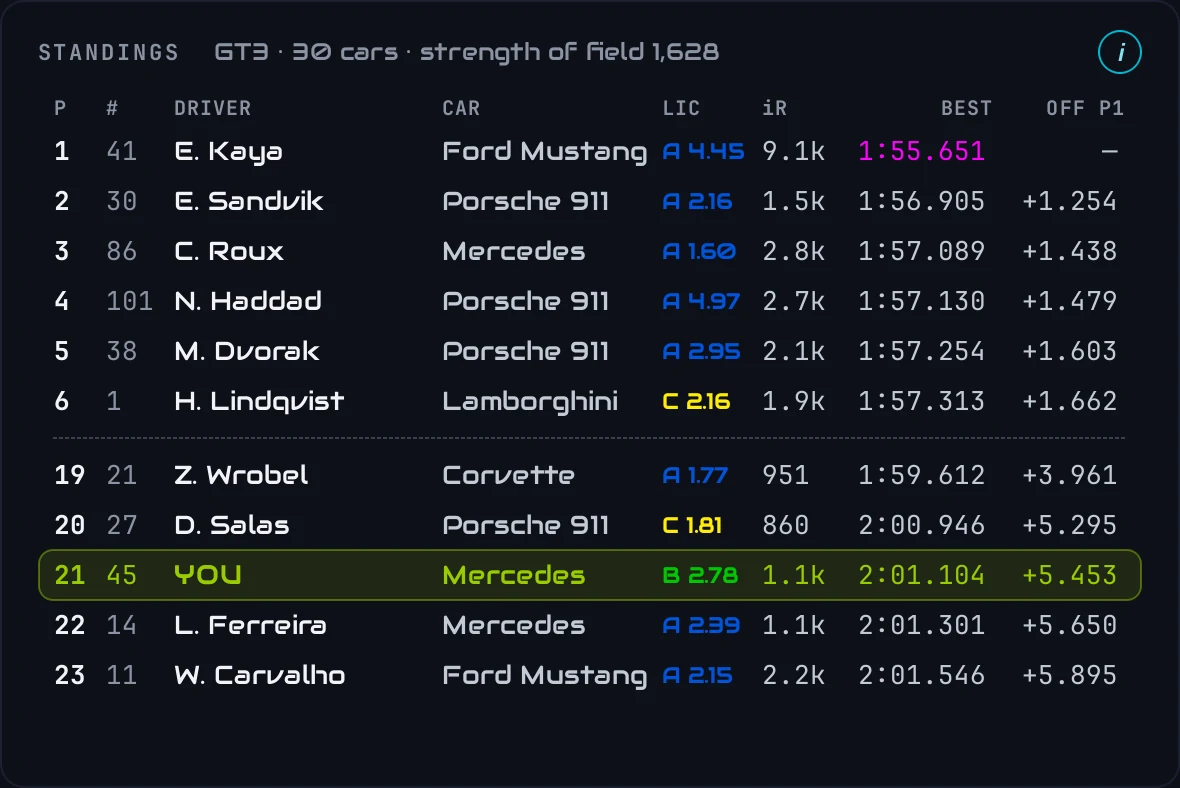
The Standings show your class in position order, with the class's strength of field: the top of the field, then the cars around you. Best is each driver's fastest lap, and pink is the fastest in the class. In a race the last column is the gap to the leader; outside a race there's no race gap, so it shows how far each best lap is off the fastest one.
TyresTyres
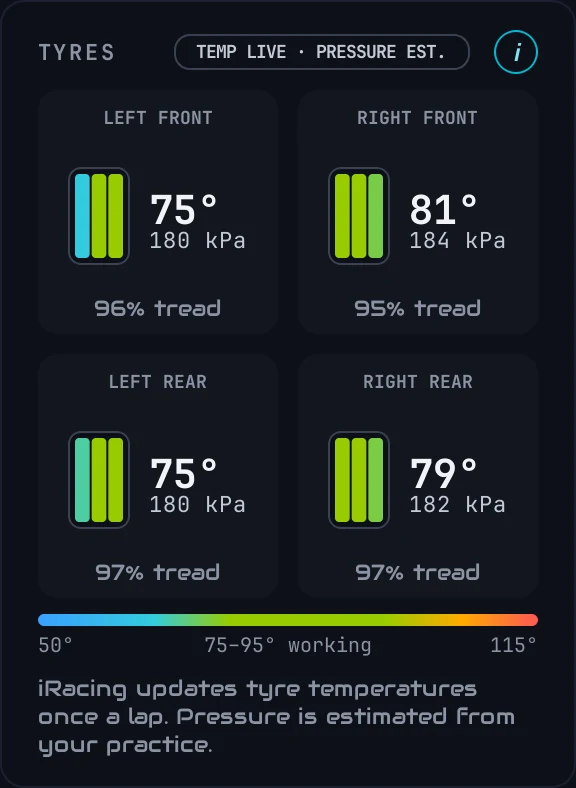
All four tyres, laid out like the car. The three bars are the outside, middle and inside of the tread, coloured on the temperature scale, with the tyre's temperature, its pressure and the tread left.
Before you pitIf you pit now
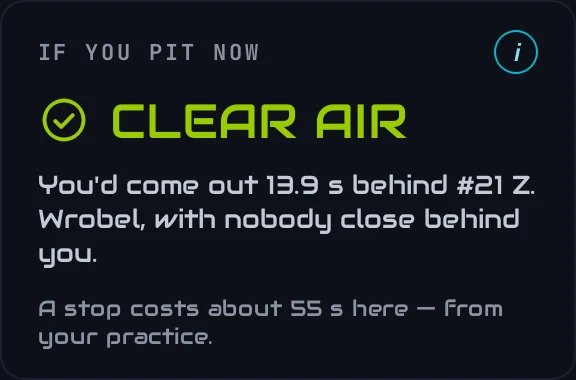
Before you commit to a stop, this answers the question that decides races: where would you come back out? The time a stop costs is taken off your place on the track, and the cars around that spot are checked. CLEAR AIR means nobody within two seconds either side; otherwise it names who you'd come out next to. The cost of a stop comes from your practice when it's loaded, otherwise a typical stop.
FuelFuel per lap
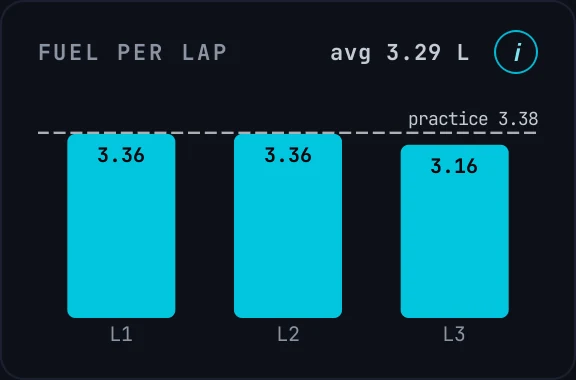
The fuel each lap actually used, measured from the tank at the line, with your average. The dashed line is your practice figure. Laps with a pit stop in them are left out rather than drawn as nonsense. Steady bars mean the fuel maths is trustworthy; a spike marks a scrappy lap.
ReferenceWhat's measured, and what's worked out
The Live Pit Wall never dresses up an estimate as a measurement. The quick reference:
- Measured live: fuel level and burn, the race clock, track and air temperature, tyre temperatures (once a lap), tread, and every car's position and lap times.
- Worked out, and labelled: tyre pressures, from the live temperature and your practice.
- Needs your practice: the pressure estimate, the track map before your first full lap, and the measured cost of a pit stop.
- A dash, never a guess: anything that needs a race clock shows "—" in practice, and there's no fuel call until the burn is measured.