Make a setup change and check it worked
The app's setup advice works in rounds: make a change, drive, and the next session tells you what it did and what to try next. Here's one round, start to finish.
On this page
- Read the plan and its reasons.
- Make the changes in iRacing's garage, starting with 1.
- Drive the same car and track again, then load that session.
- Read what each change did. The next plan follows from it.
Part 1Before you drive
Read the plan
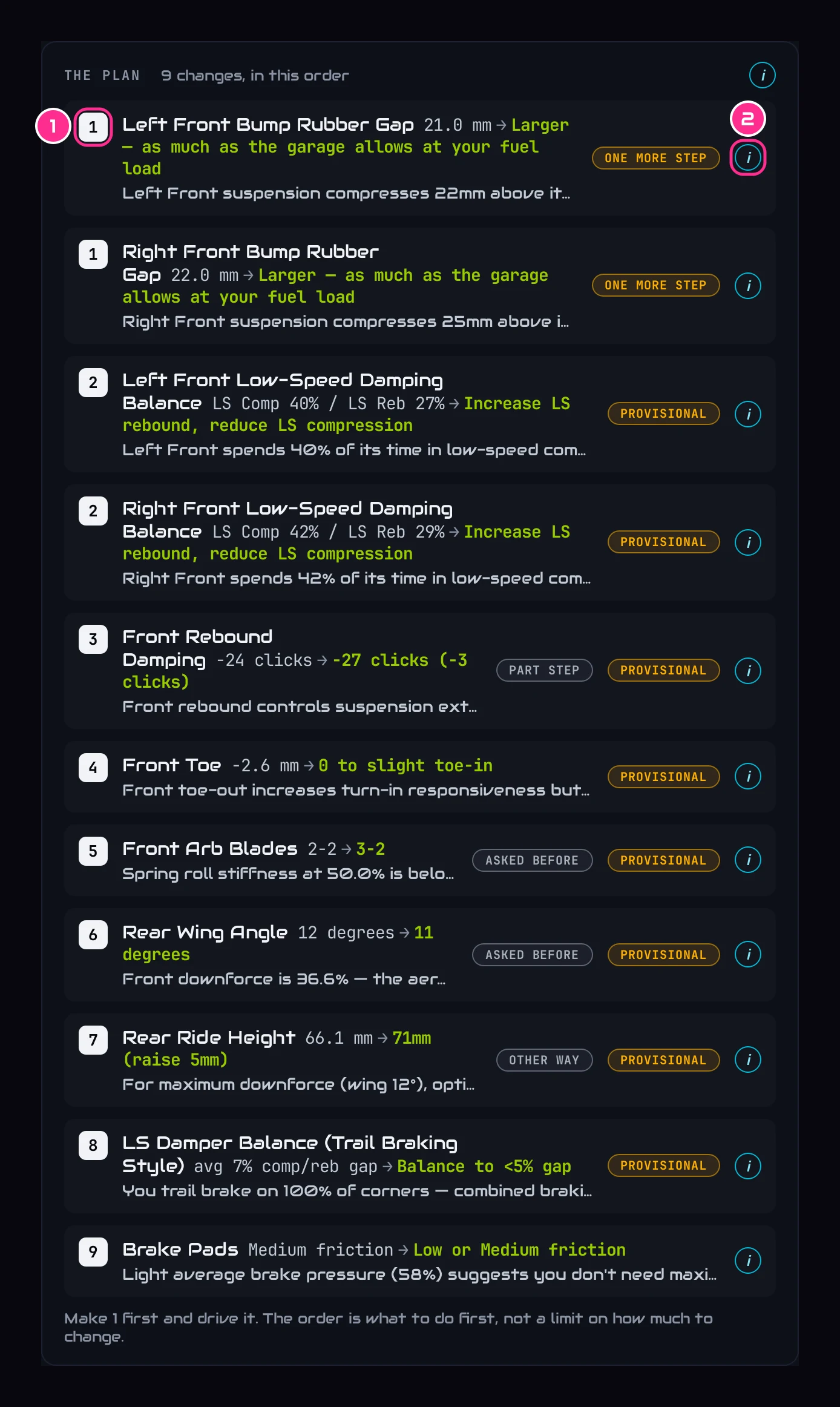
Open Your Car Setup. The changes are numbered in the order to make them (1); changes that share a number belong together. The i (2) says why each one is asked for.
Check the reason, and keep what you want kept
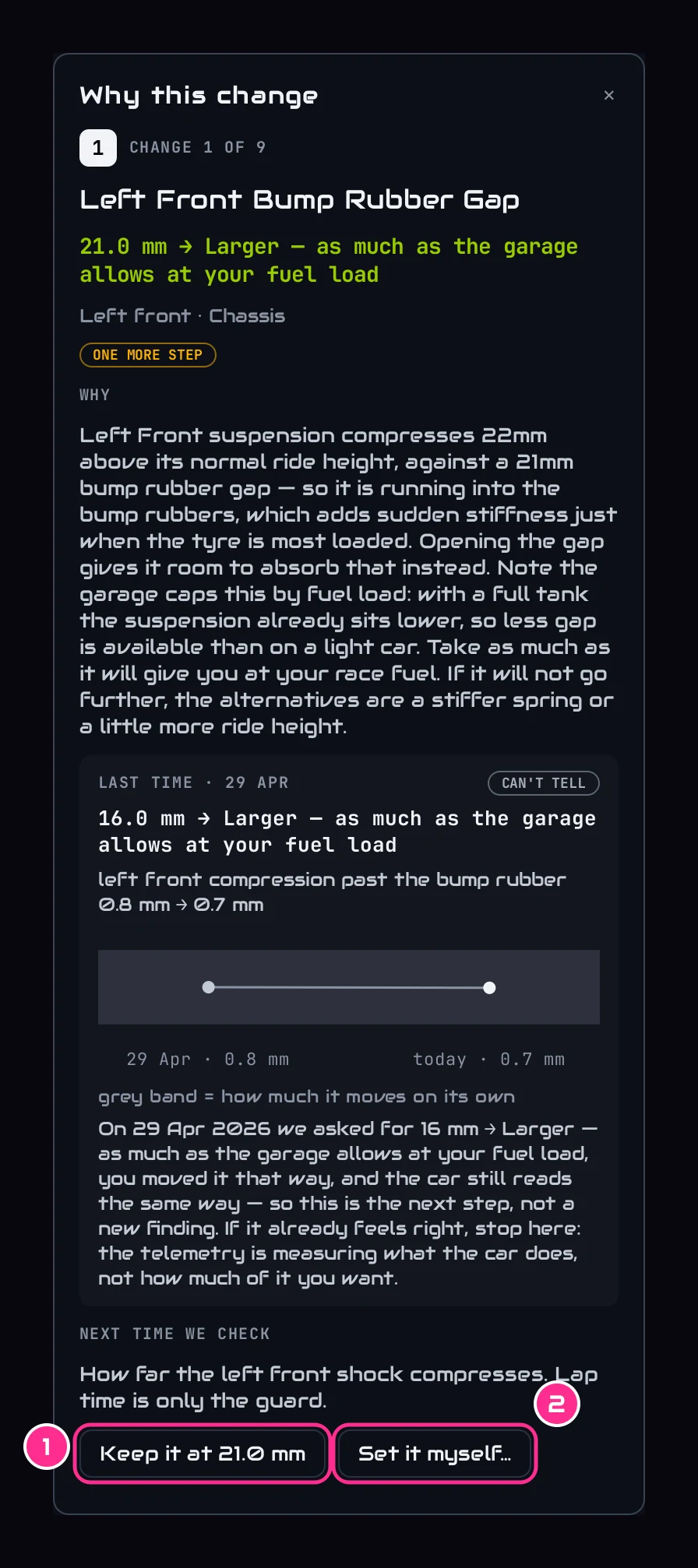
The i opens what we measured and why the change helps. Don't want a change? Press Keep it at … (1) and the plan works around it. Prefer your own value? Set it myself… (2).
Find each change in the garage
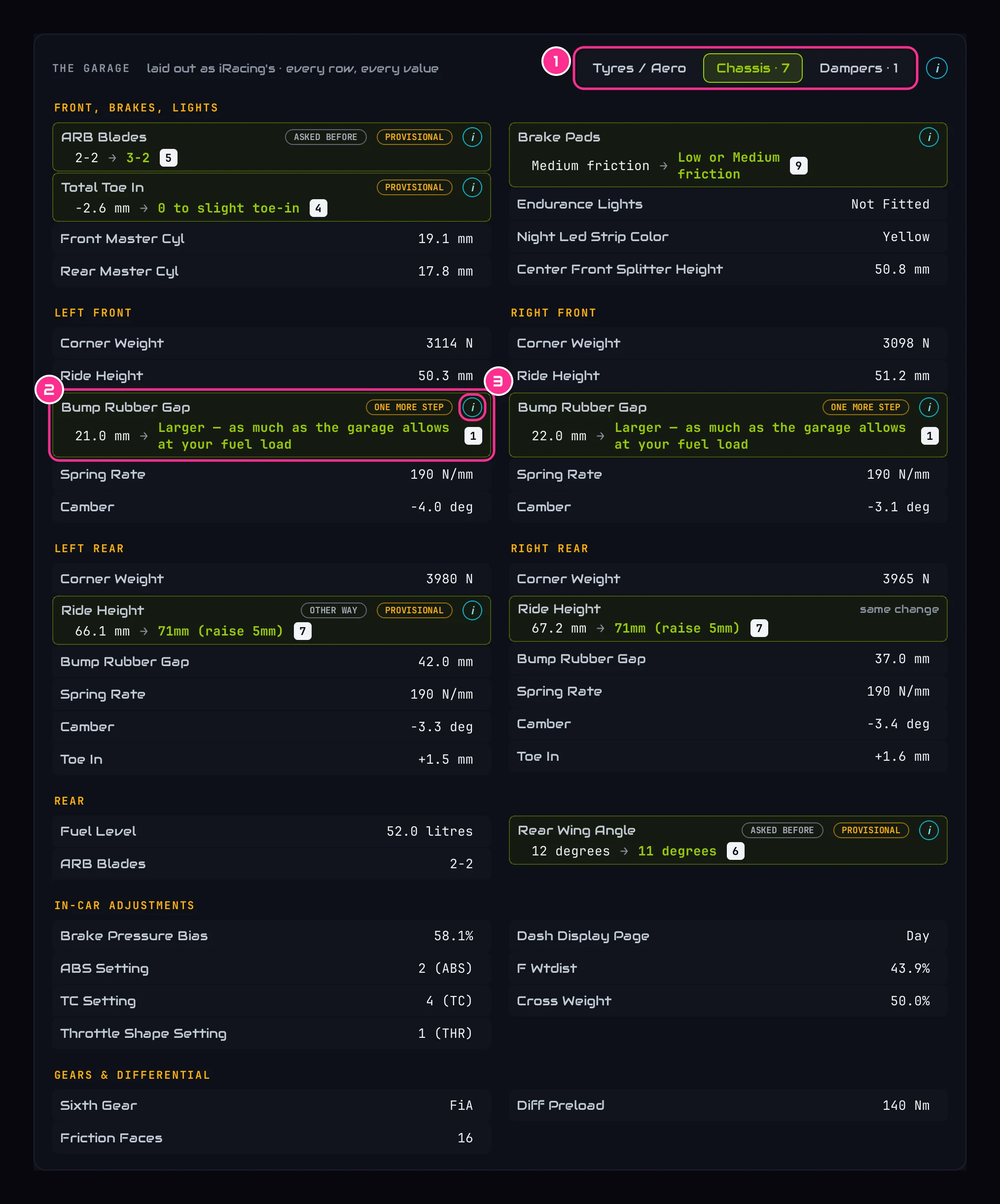
The garage at the bottom of the page is laid out like iRacing's: the same tabs (1), the same names, the same order. Each changed row is lit green with its new value and its number (2).
Part 2Make the changes in iRacing
Save a copy of your setup first
In iRacing's garage, save your current setup under a new name. If a change doesn't suit you, you can load the old one back.
Change the settings, starting with 1
Find each setting on the same tab in iRacing and set the new value. When a change says something like Larger, as much as the garage allows, go as far as iRacing lets you. Making change 1 on its own and driving it teaches you the most about what it does; you can make them all at once if you'd rather.
Drive the same car and track
At least five clean laps, in conditions like last time: dry against dry, wet against wet. Then the app can judge each change properly.
Part 3See what it did
Load the new session
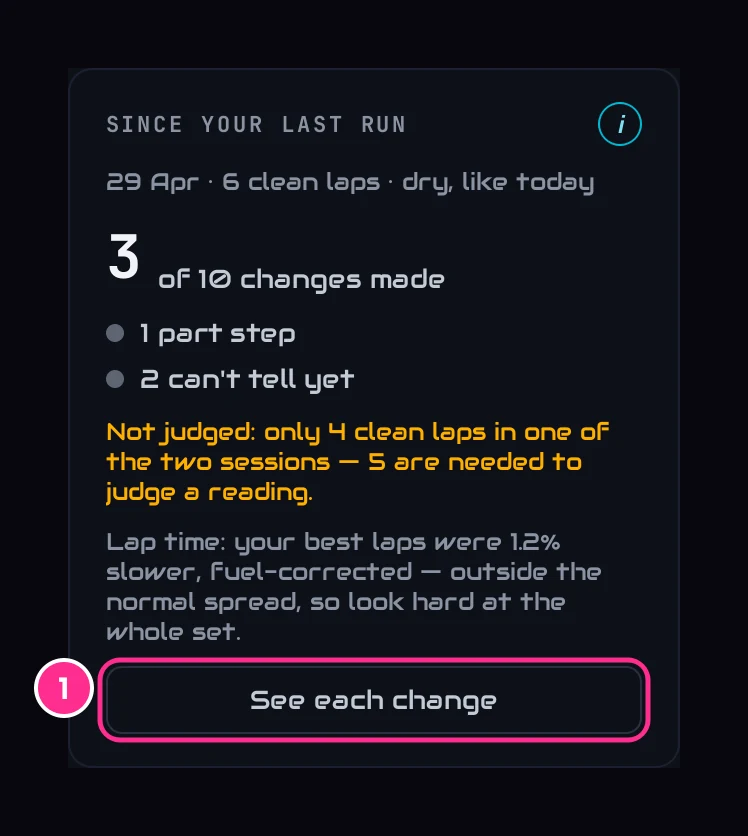
Open Your Car Setup. Since your last run says how many of last time's changes you made, and what each one did, judged on the reading it was aimed at, never on lap time. Press See each change (1) for each one.
Read each change
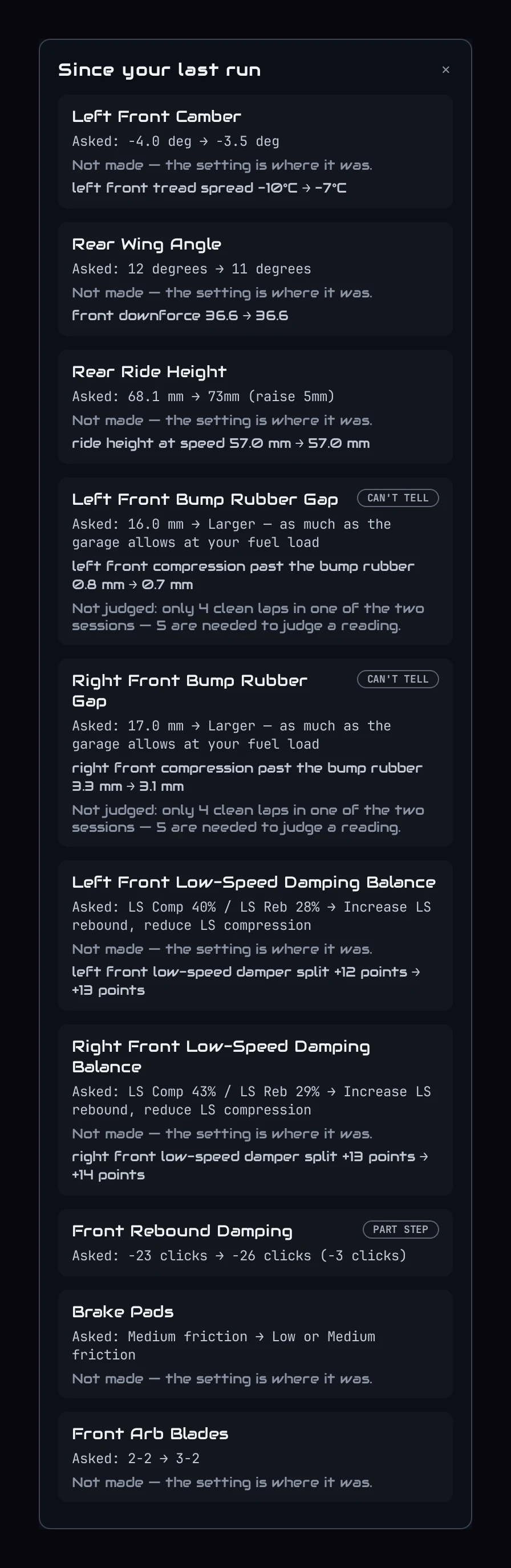
- WORKEDIt did its job. It stays.
- ONE MORE STEPIt moved too little. The plan takes one more step.
- GO BACKIt made things worse. The plan puts it back.
- CAN'T TELLToo few laps, or different conditions. It's judged next time.
The full list of marks is in What the marks mean.
Answer if you're asked
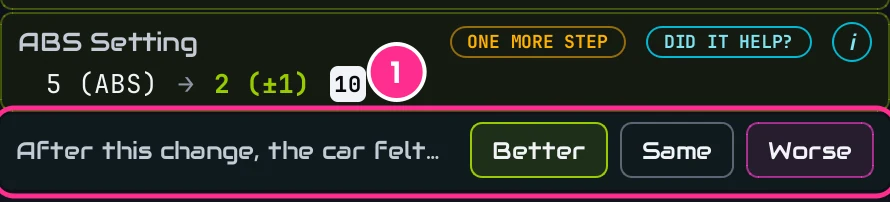
Some things can't be measured well enough between two sessions yet. Then the change's row asks you: Better, Same or Worse. Your answer decides the next step just as a measurement would.
Start the next round
The plan is already the next round: changes that worked stay, the rest take their next step. Make change 1 and drive again.