Account, subscription and PCs
Your subscription, your PCs and your updates: what the app does by itself, and the few things you might want to change.
- Your subscription and billing are on your account page.
- The app works on one PC at a time: on another PC, one click moves it there.
- Updates install themselves when the app starts.
On the websiteYour account page
Sign in at alienblade.co.uk/racingline/account with the same email and password as the app. In the app, Settings → Account → Manage subscription takes you there. On it:
- Your subscription: its status, your price and your next billing date.
- Registered device: the PC your licence is on, and Transfer to new PC.
- Download AB Racing Line: the installer, if you need it again.
- Redeem a promo code: if you've been sent an access code.
- Billing: Open billing portal to change your card, see your bills or cancel.
- Profile: your name and your iRacing name.
One at a timeTwo PCs
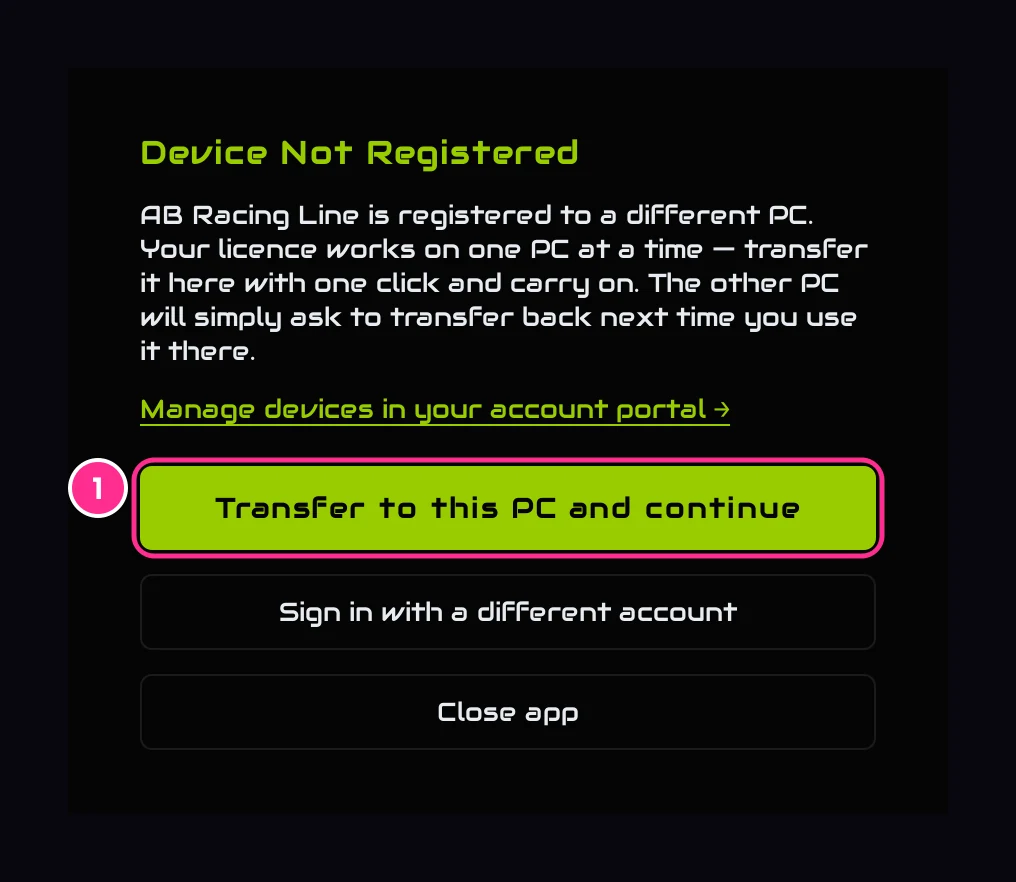
Your licence works on one PC at a time: a laptop and a sim PC is fine, just not both at once. Open the app on the other PC and it says so.
- 1Transfer to this PC and continueMoves your licence here, and the app carries on. No need to sign in again.
The first PC asks the same the next time you use it there. You can also free your licence with Transfer to new PC on your account page: the next PC you open the app on takes it.
New versionsUpdates
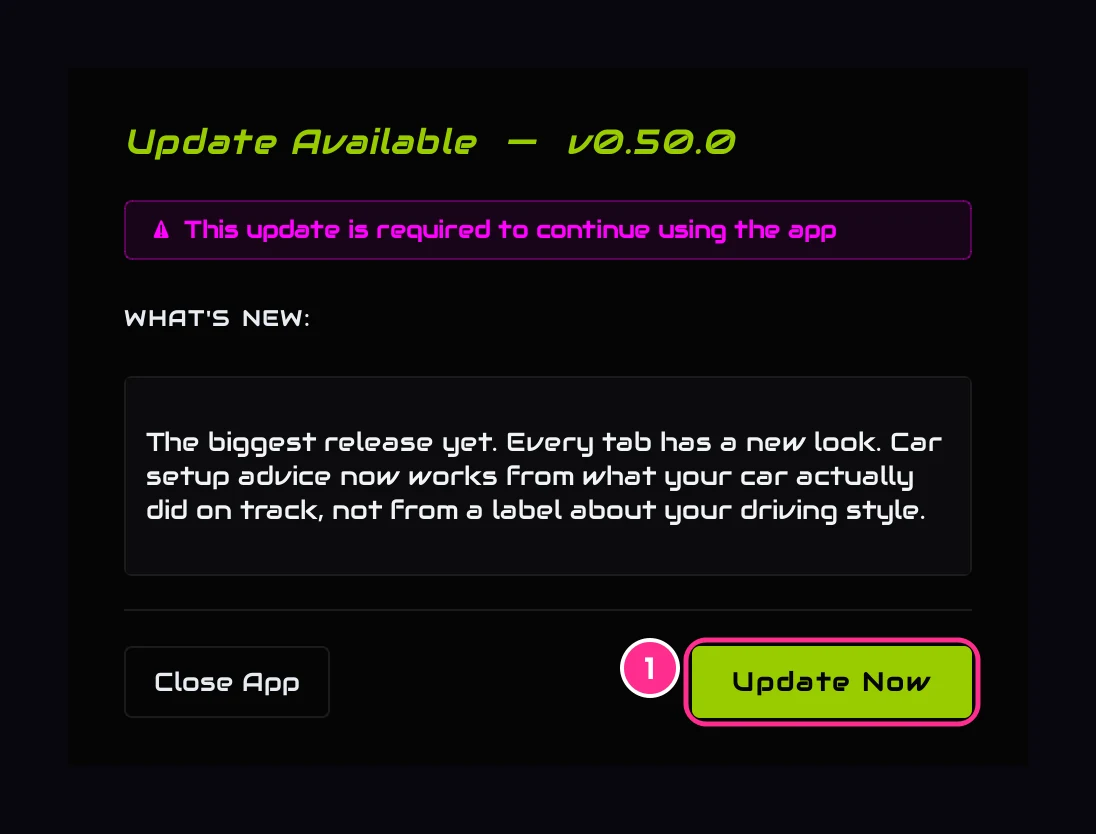
When a new version is out, the app tells you as it starts, with what's new in it.
- 1Update NowDownloads the new version, checks it, installs it and restarts the app.
Your settings, your history and your sign-in are all kept. After an update you'll see the terms once, then what changed. Updates are required: Close App closes the app instead, and it asks again next time.
Signing inPasswords and signing out
- Forgot your password? Use Forgot your password? on your account page and we'll email you a link to set a new one.
- Changed your password? Any PC still signed in with the old one asks you to sign in again.
- Sign out is in Settings → Account.
LeavingCancelling, or deleting your account
- Cancel: Open billing portal on your account page.
- Delete your account: at the bottom of your account page. It cancels your subscription and erases your personal data, and it can't be undone.
Your telemetry files, your session history, your settings and your layouts live on your own PC. The Privacy Policy sets out exactly what we keep and for how long.